Snow Reports
Post snow depths, new-snow totals, and last snowfall and snowmaking details for your trail system or specific trails.
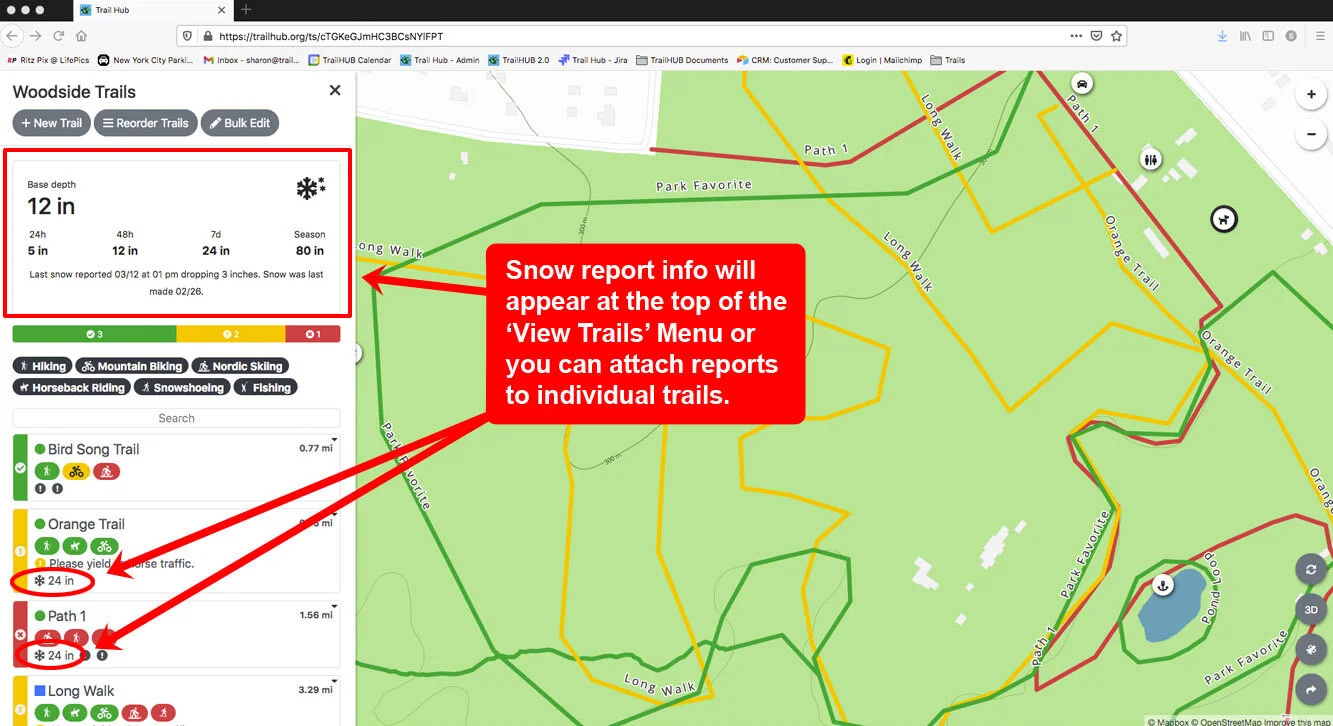
A Snow Report shares snow totals and depths with your trail users. It appears at the top of the Trails menu, or on specific trail cards if you attach it to trails.
Pair a snow report with a Notice when you want to add a written explanation.
#Snow report fields
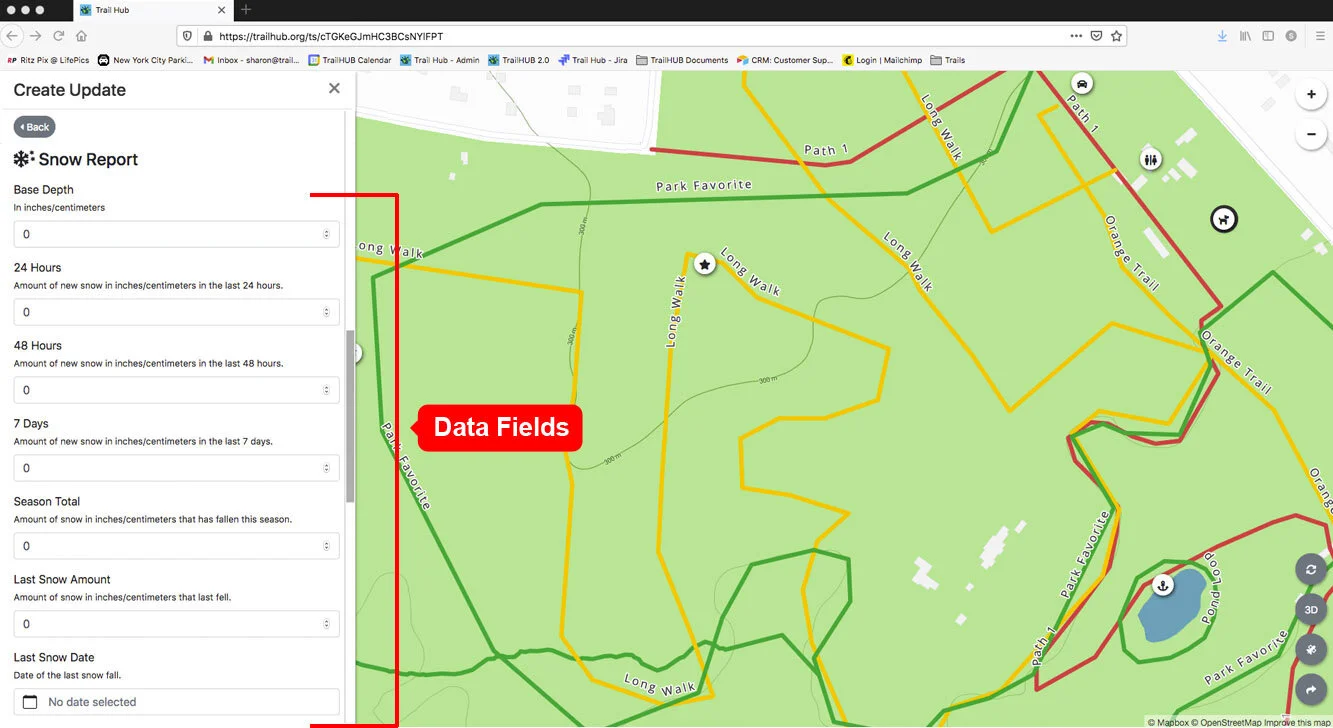
Every field is optional; fill in as many or as few as you like. Depths and amounts are entered as plain numbers in whichever unit (inches or centimeters) your trail system uses.
- Base Depth
- 24 Hours – new snow in the last 24 hours
- 48 Hours – new snow in the last 48 hours
- 7 Days – new snow in the last 7 days
- Season Total
- Last Snow Amount
- Last Snow Date
- Last Snow Time
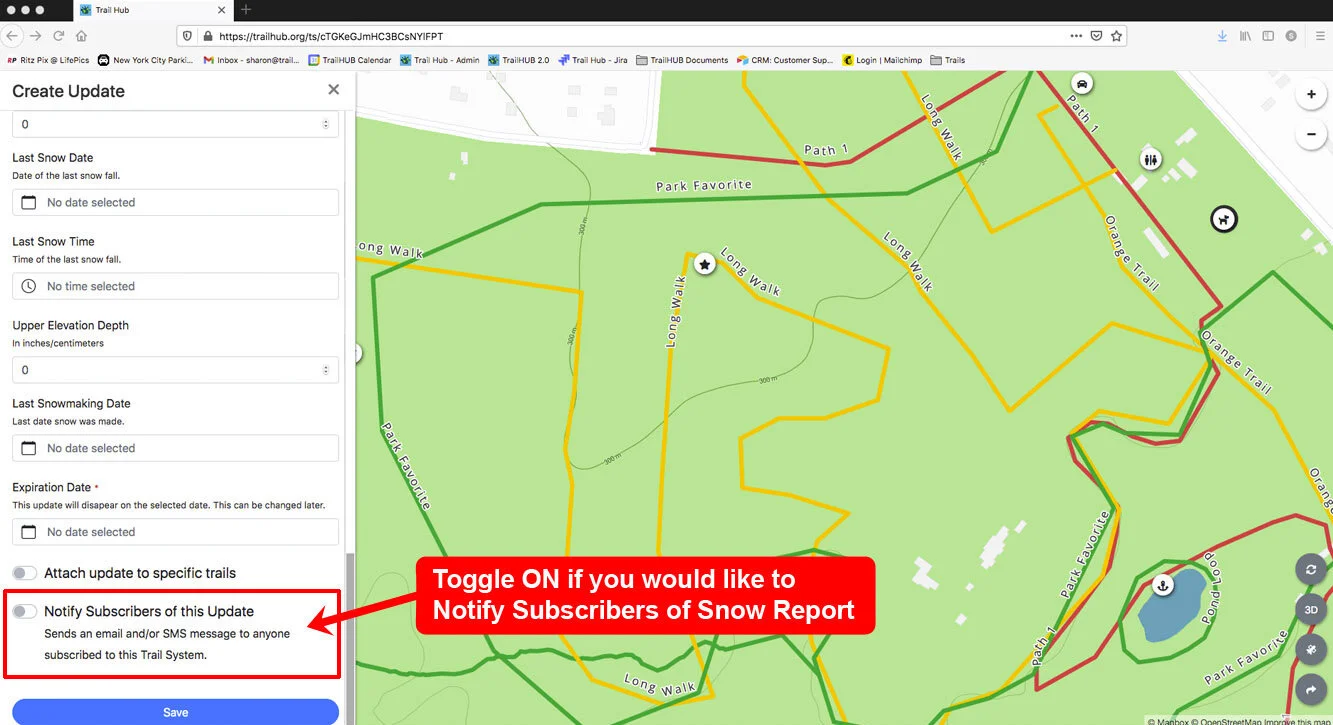
- Upper Elevation Depth
- Last Snowmaking Date
#Post a snow report
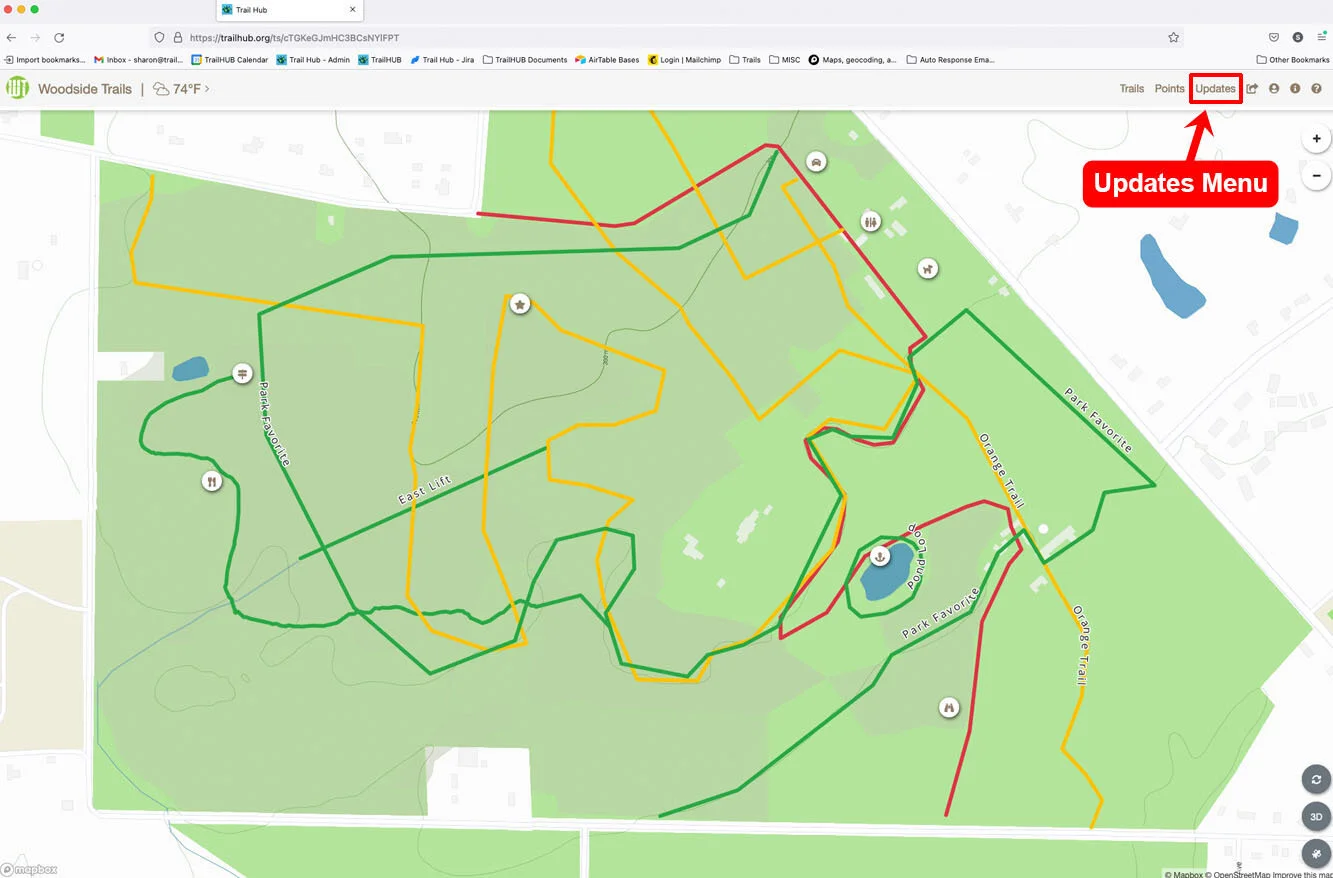
- Select Updates in the top navigation bar.
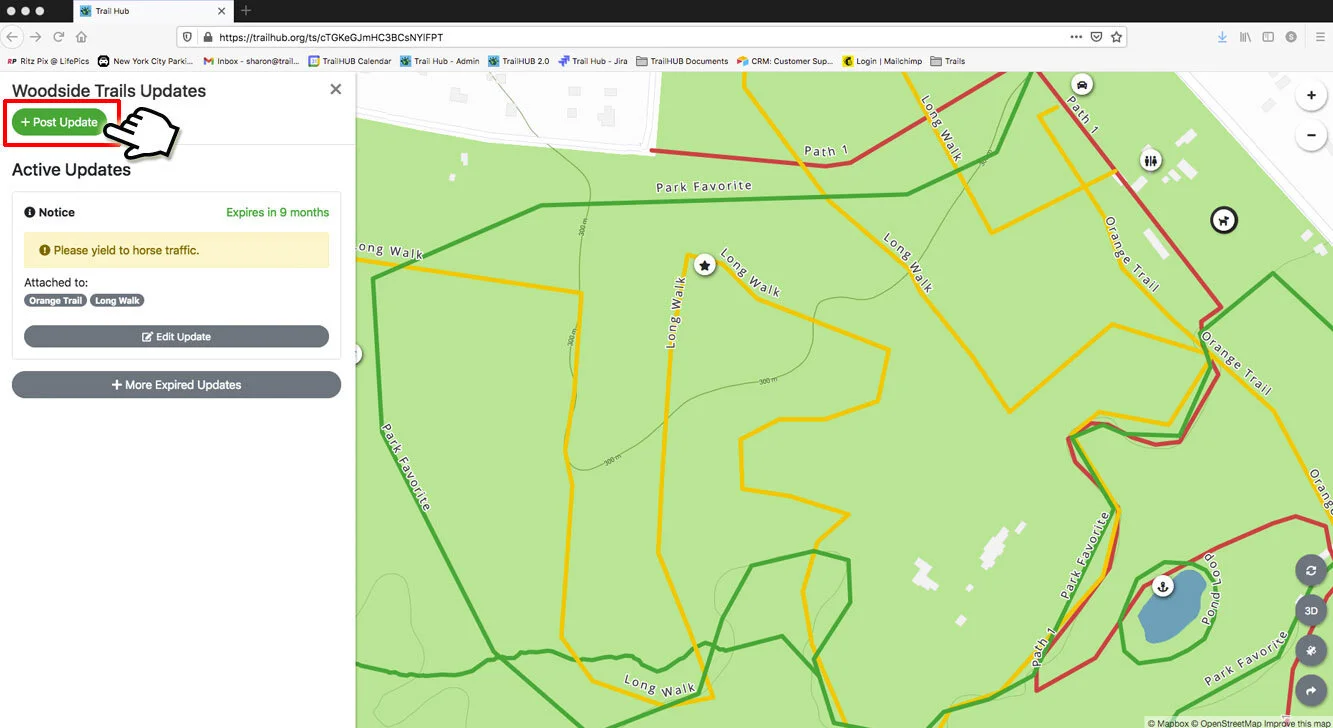
- Select Post Update to open the Create Update drawer.
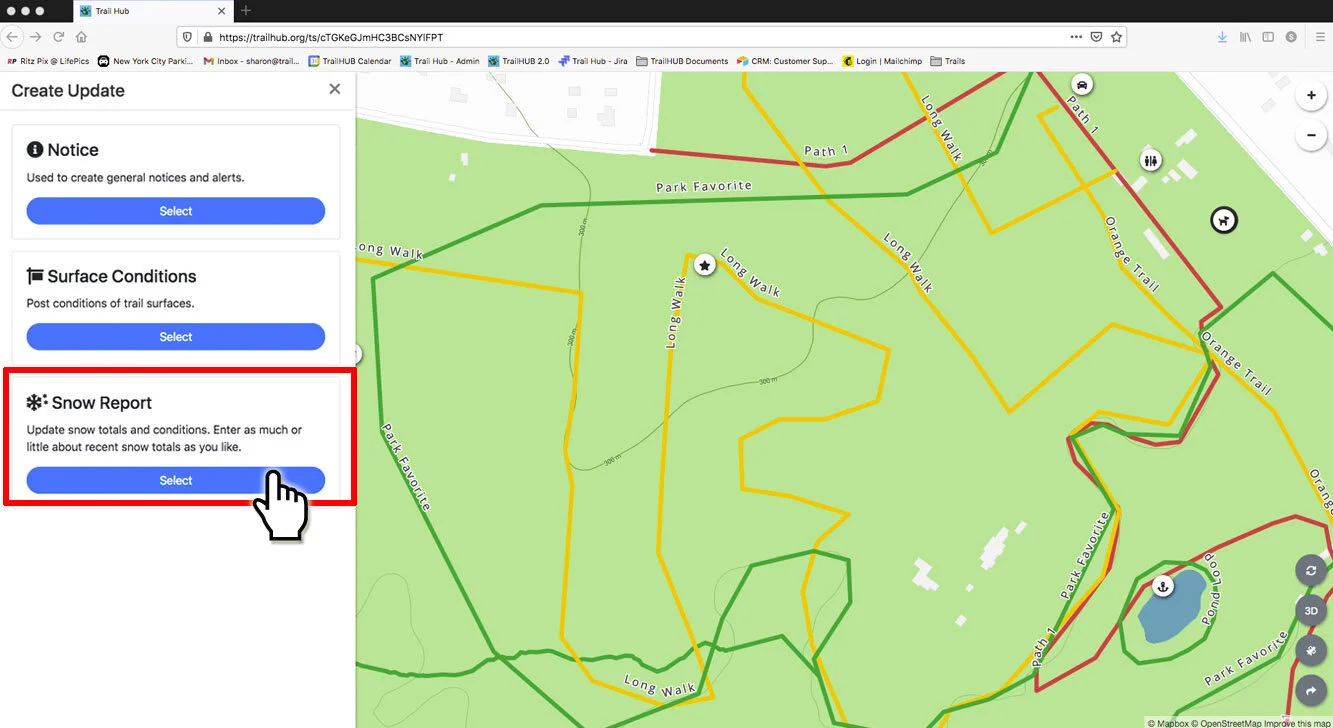
- Select Snow Report.
- Fill in the fields you want to report.
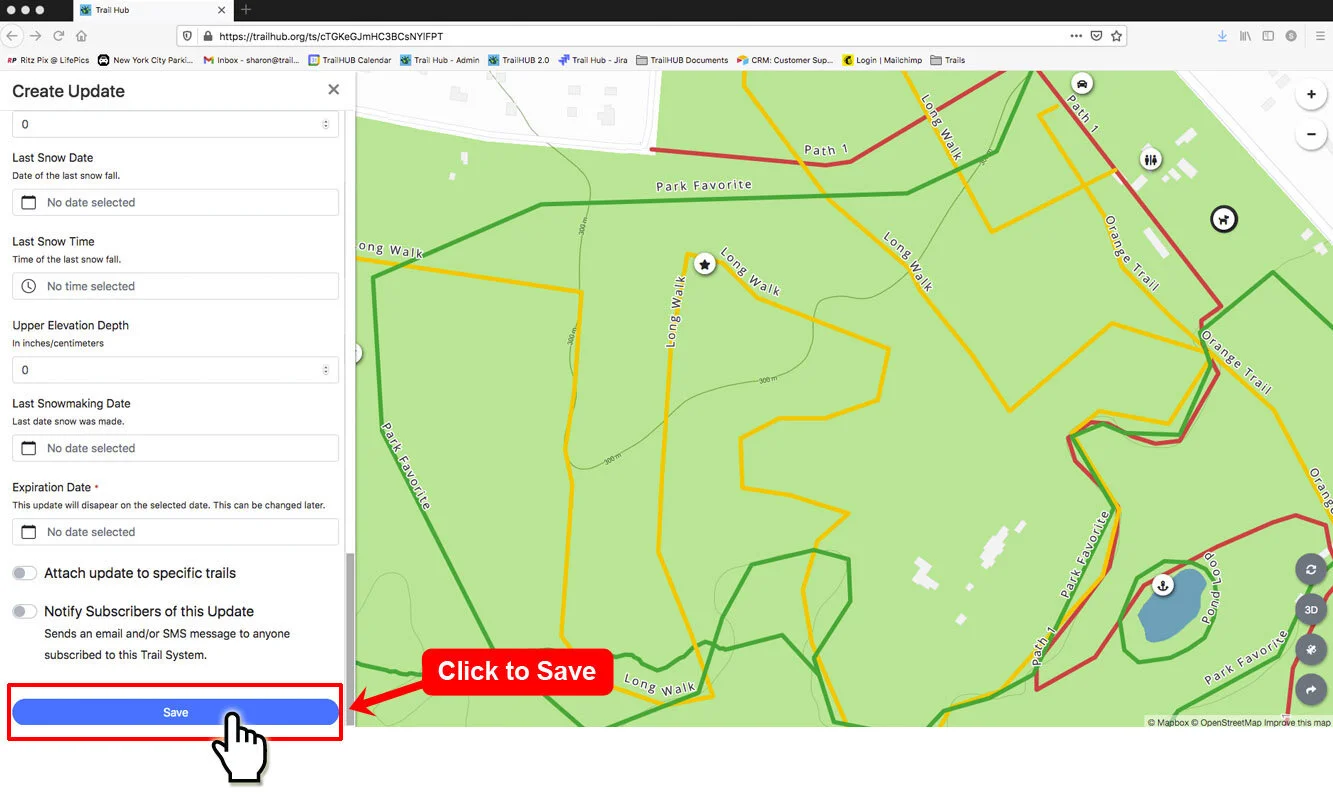
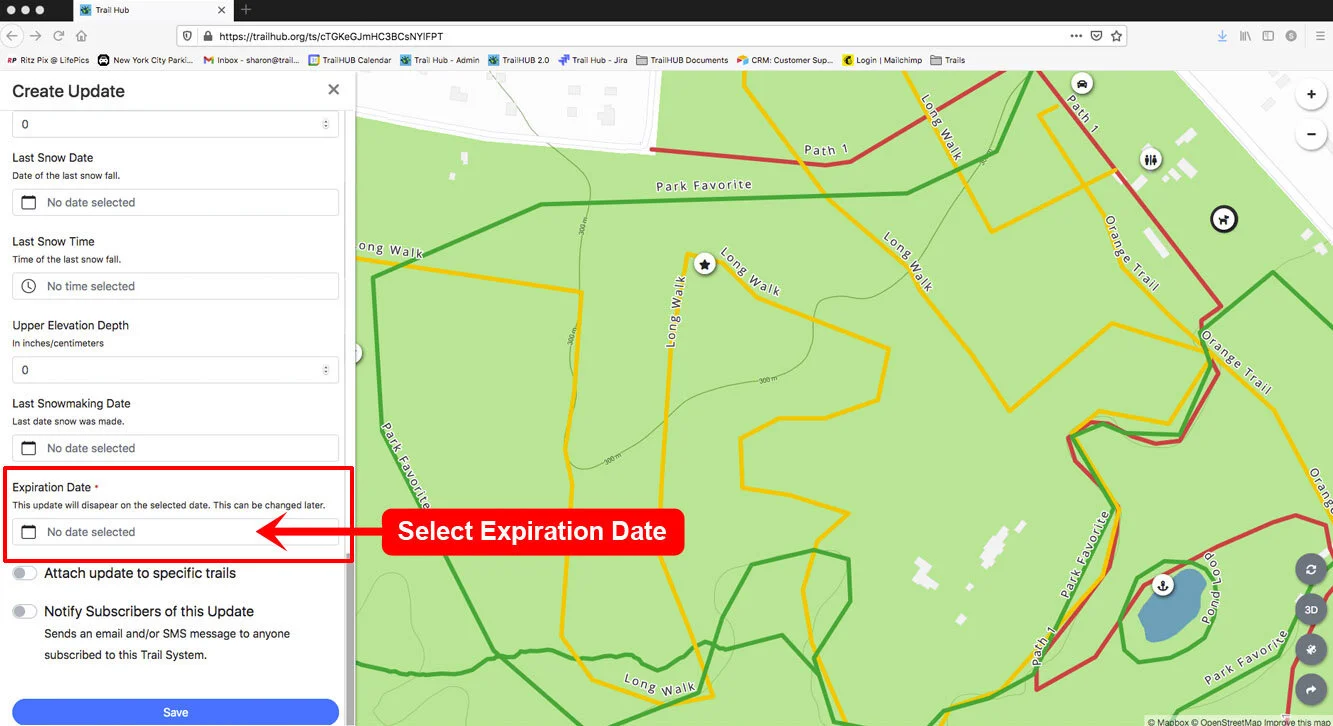
- Pick an Expiration Date (required) and, optionally, a time. The report disappears when it expires; edit it later to extend it.
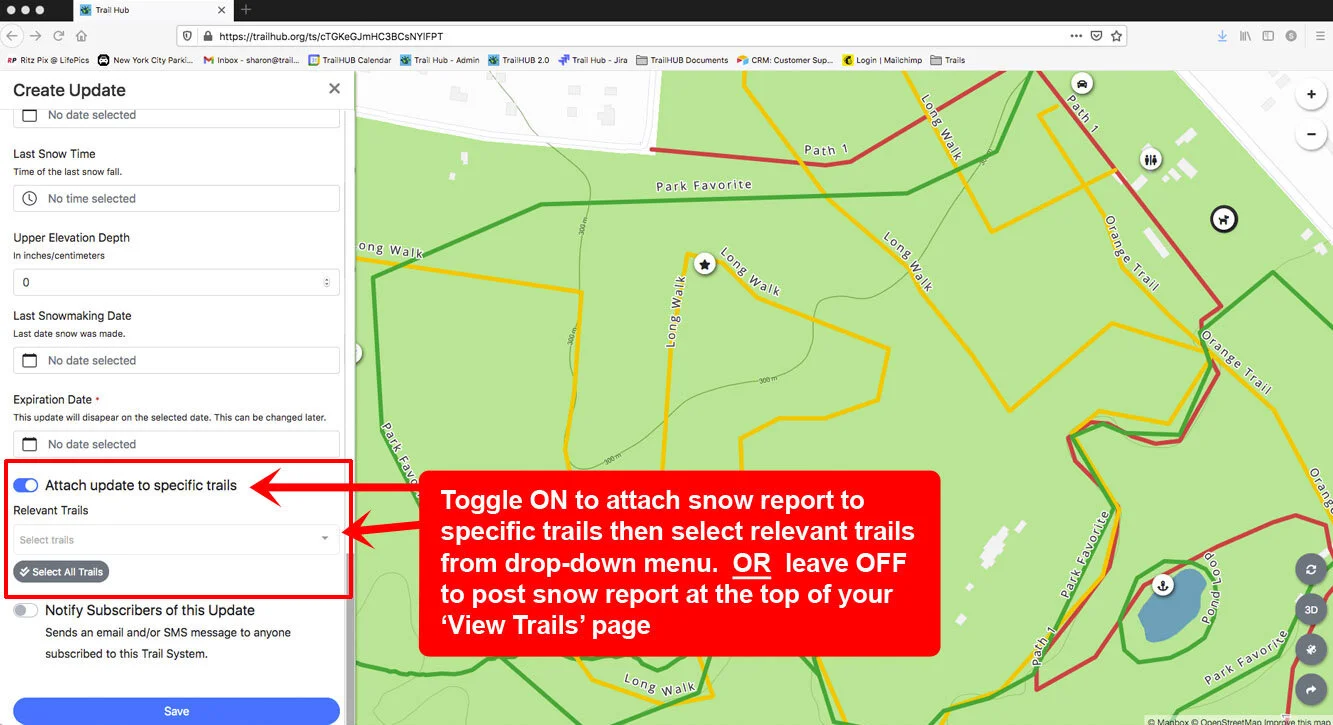
- Leave Attach update to specific trails off to post the report at the top of your Trails page, or switch it on and choose the Relevant Trails.
- Switch on Notify Subscribers of this Update to email and/or text your subscribers, or leave it off. Subscribers receive "Your Trail System has posted a new snow report:" followed by a link to your trail system.
- Select Save.