
Weather
Show current conditions and a 7-day forecast for your trail system's location, sourced from OpenWeather.
Weather is available on the Diamond, Double Diamond, Triangle, and Star plans. See Plans and pricing.
Weather data comes from OpenWeather for your trail system's map location. Once an hour, TrailHUB stores a snapshot of current conditions for each eligible trail system; this snapshot powers the temperature and icon in the navigation bar and on digital signage. When a visitor opens the Weather drawer, TrailHUB fetches a live forecast.
The Weather drawer includes:
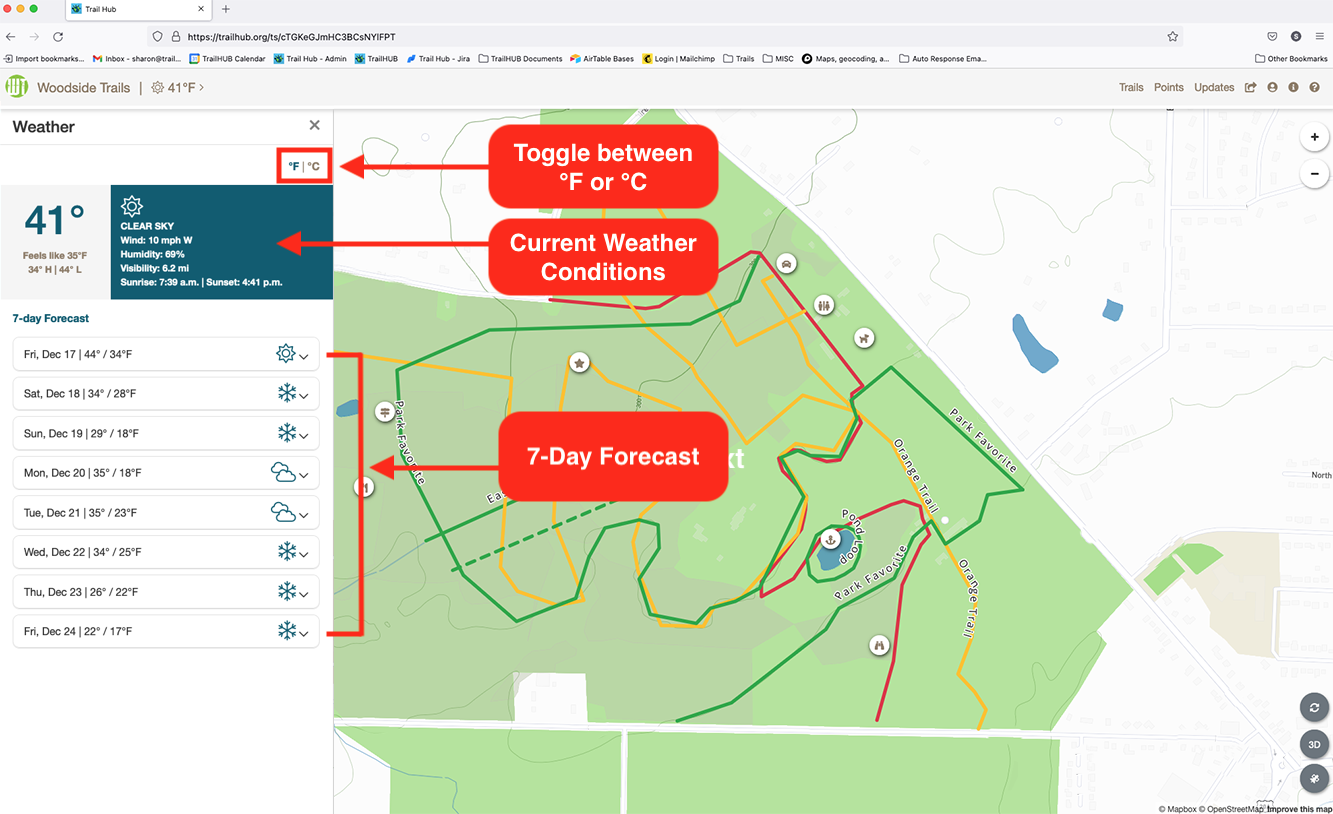
- current temperature, "feels like" temperature, today's high and low, conditions, wind speed and direction, humidity, visibility, sunrise and sunset;
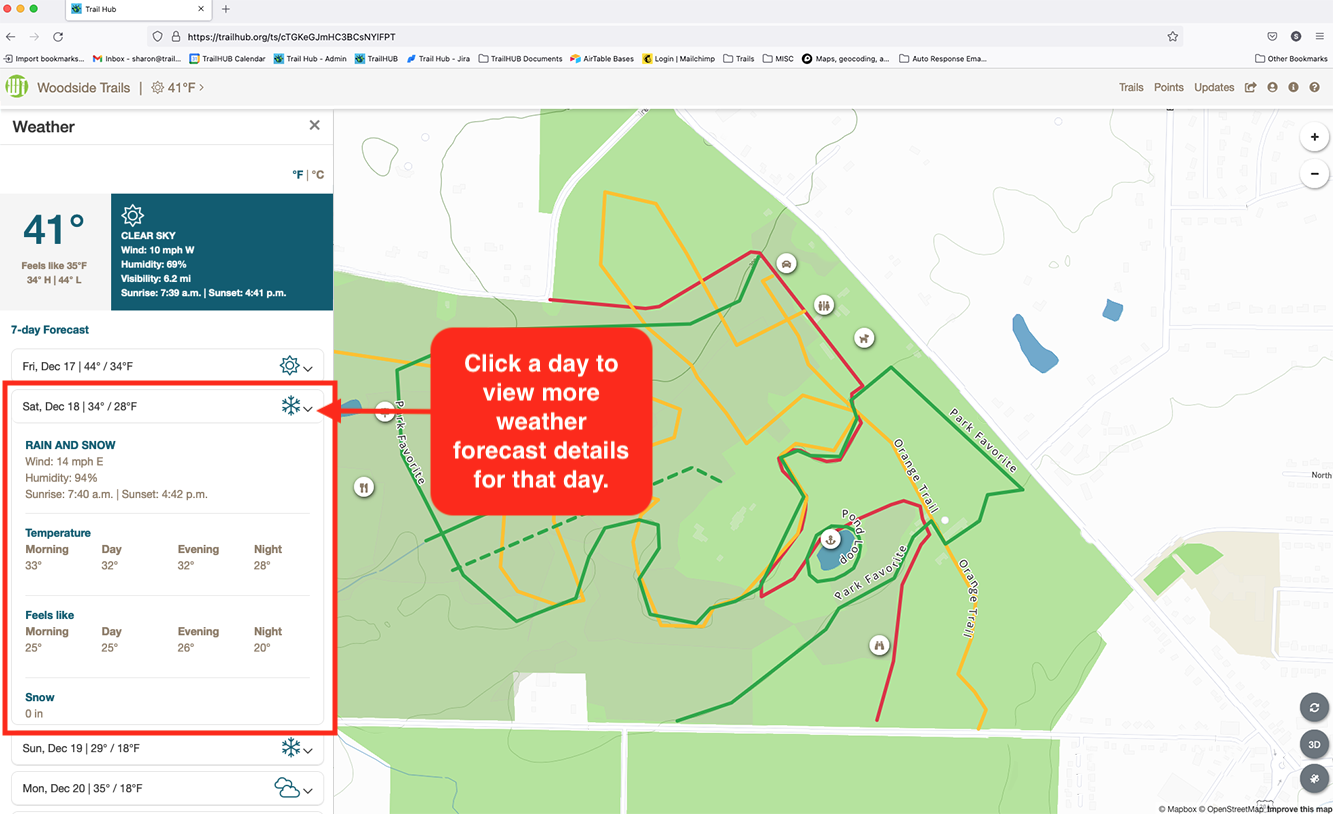
- a 7-day forecast, each day expandable to show conditions, wind, humidity, sunrise and sunset, morning / day / evening / night temperatures and feels-like temperatures, and expected snowfall;
- your latest snow report, if you have posted one.
#View the weather
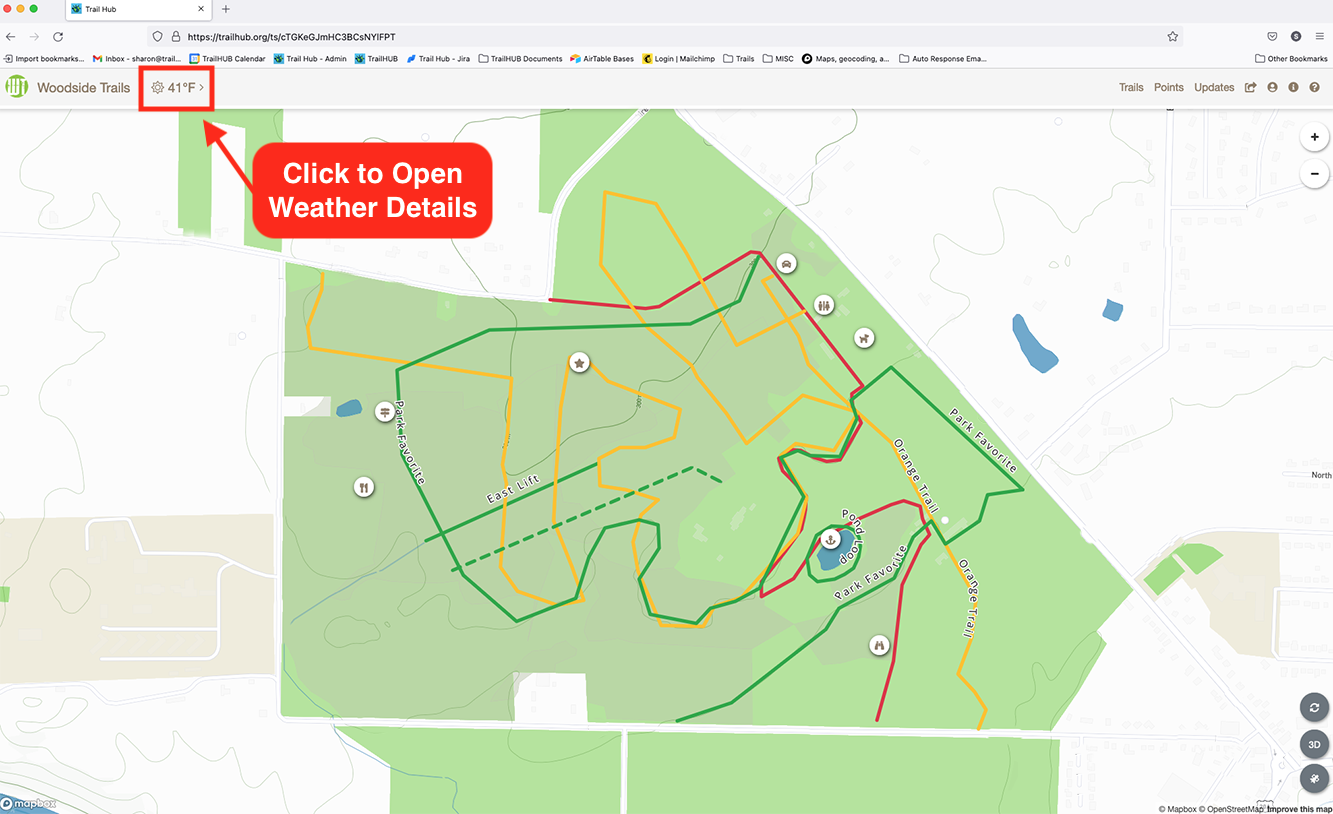
The current temperature appears in the top-right corner of the navigation bar next to your trail system name or logo.
Click the temperature to open the Weather drawer.
Review current conditions and the 7-day forecast. Click °F or °C at the top of the drawer to switch units for this visit.
Click a day to expand its details.
#Units
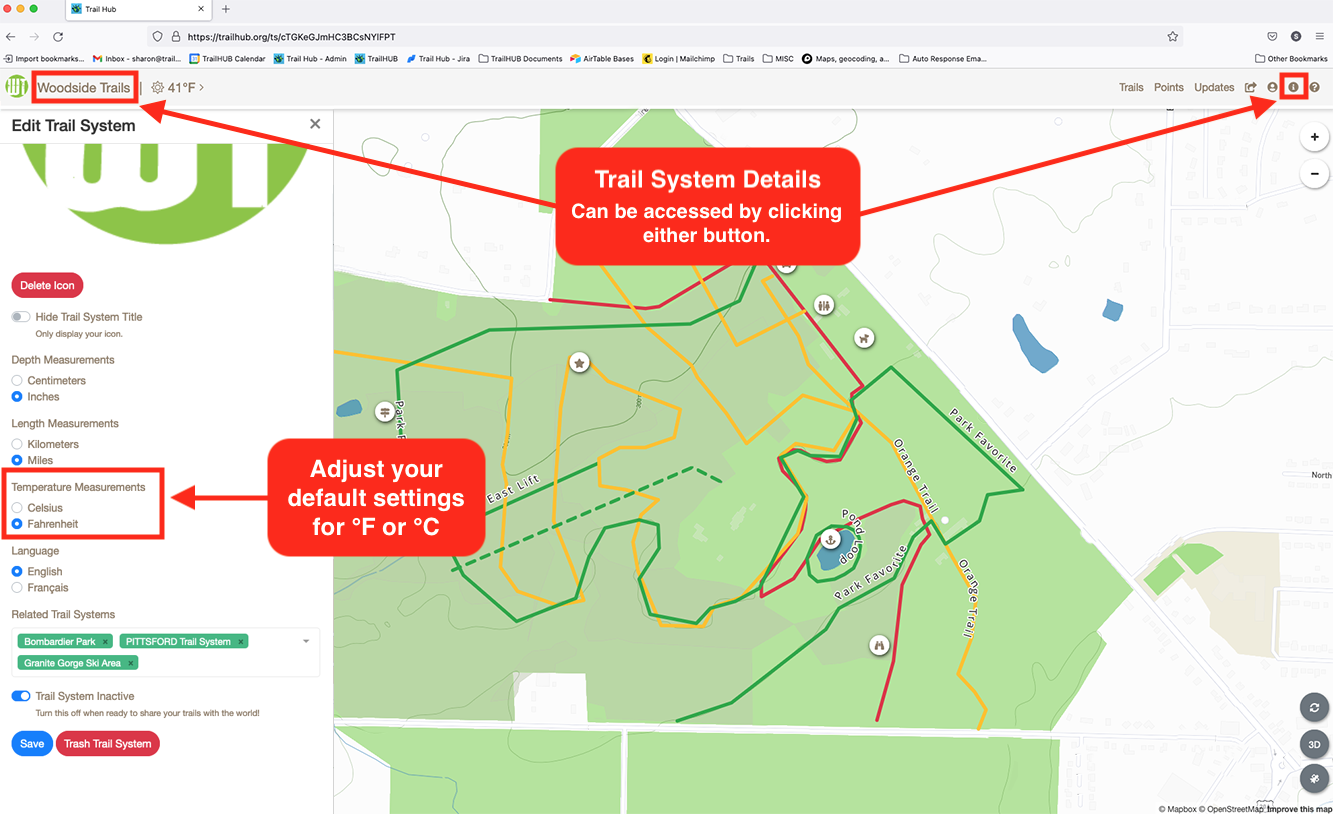
The default temperature unit follows your trail system's Temperature setting (Fahrenheit or Celsius), which you set in Edit trail system details. Wind speed and visibility follow your Length setting (miles or kilometers), and snowfall follows your Depth setting (inches or centimeters). The °F / °C toggle in the drawer only changes the display for the current visit; it does not change the saved setting.
Descriptions are shown in your trail system's language (English or French).