
Update Account Details
Change the name, phone number, organization, email address or password on your TrailHUB manager account.
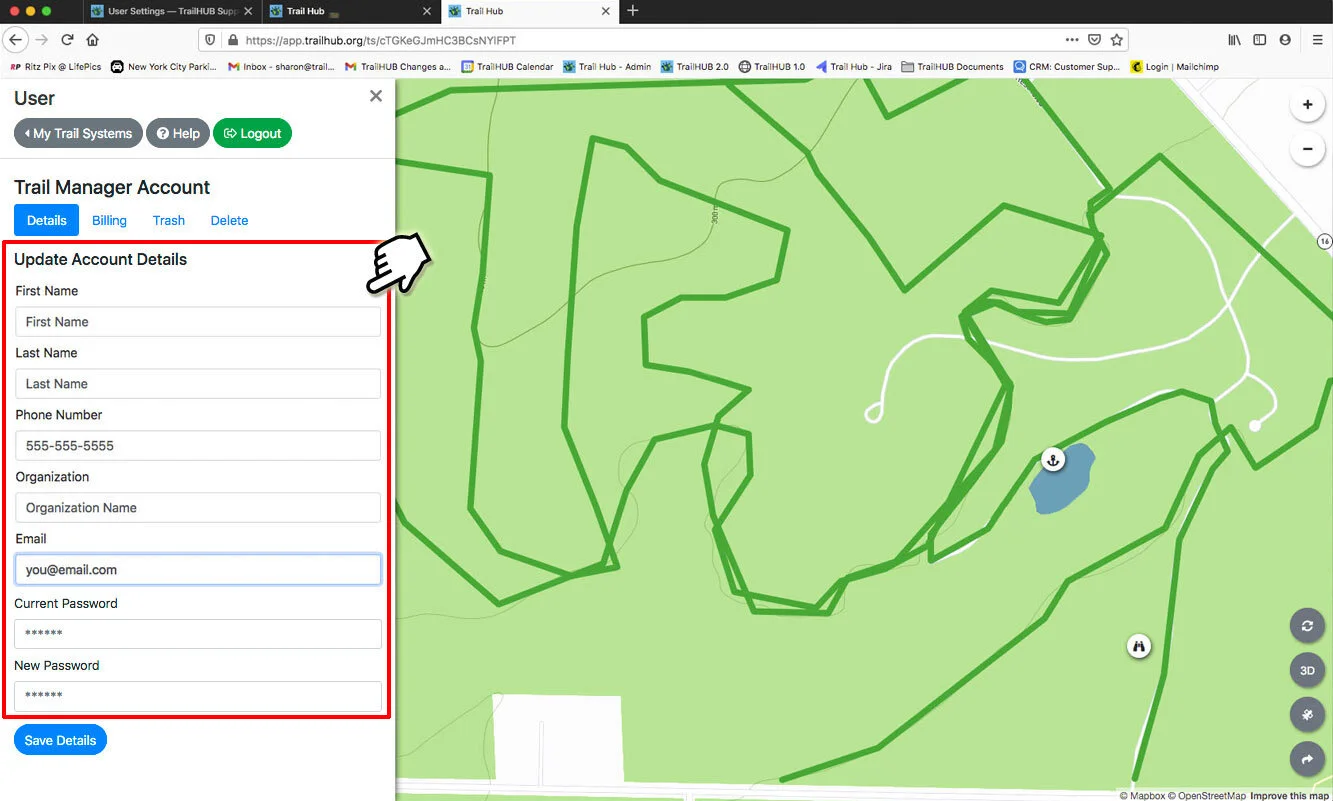
The Details tab in User Settings lets you update:
- First and last name
- Phone number
- Organization
- Email address
- Password
#Steps
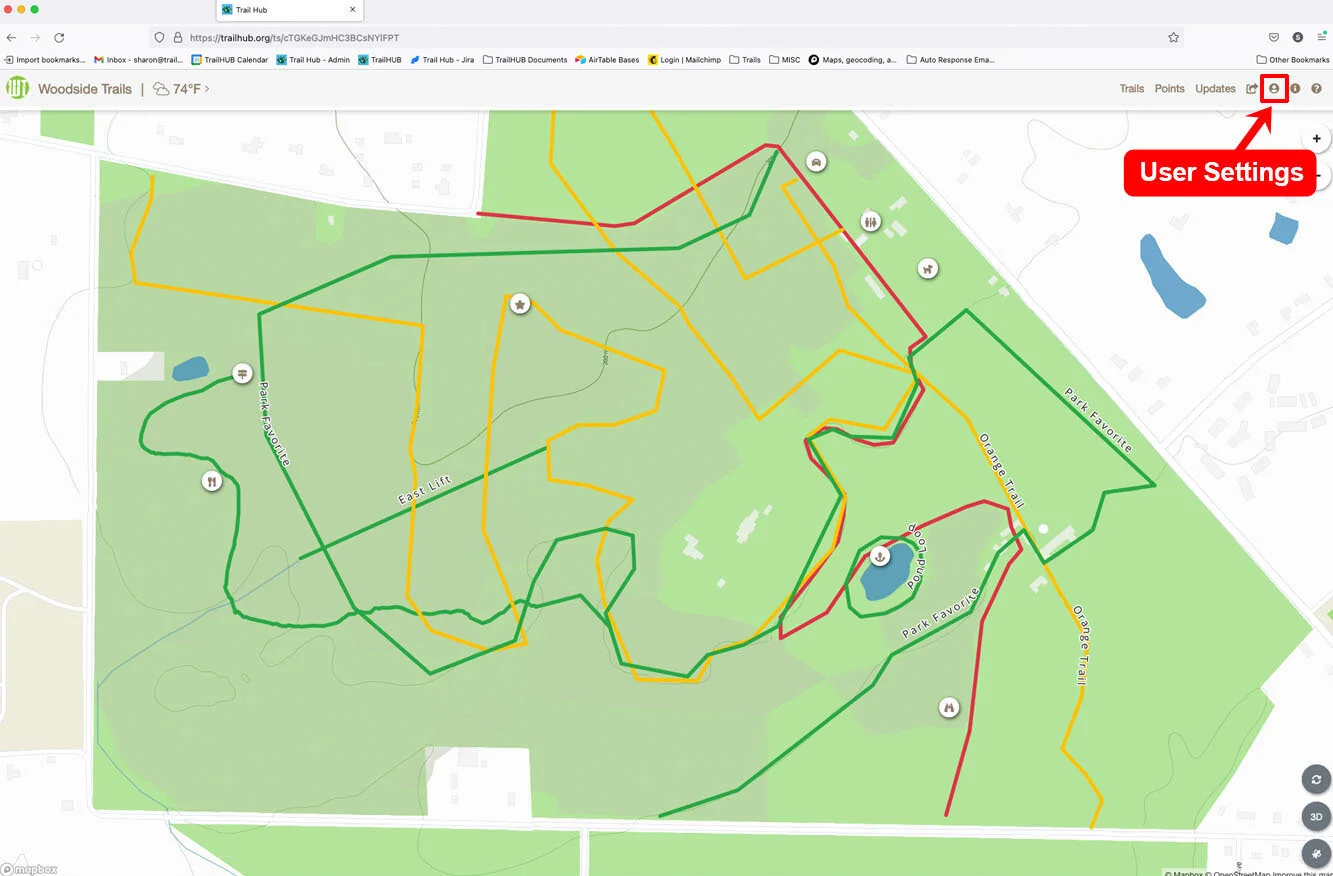
- Select User Settings in the navigation bar. The Details tab is selected by default.
- Edit the fields you want to change. To change your password, type the new one in New Password.
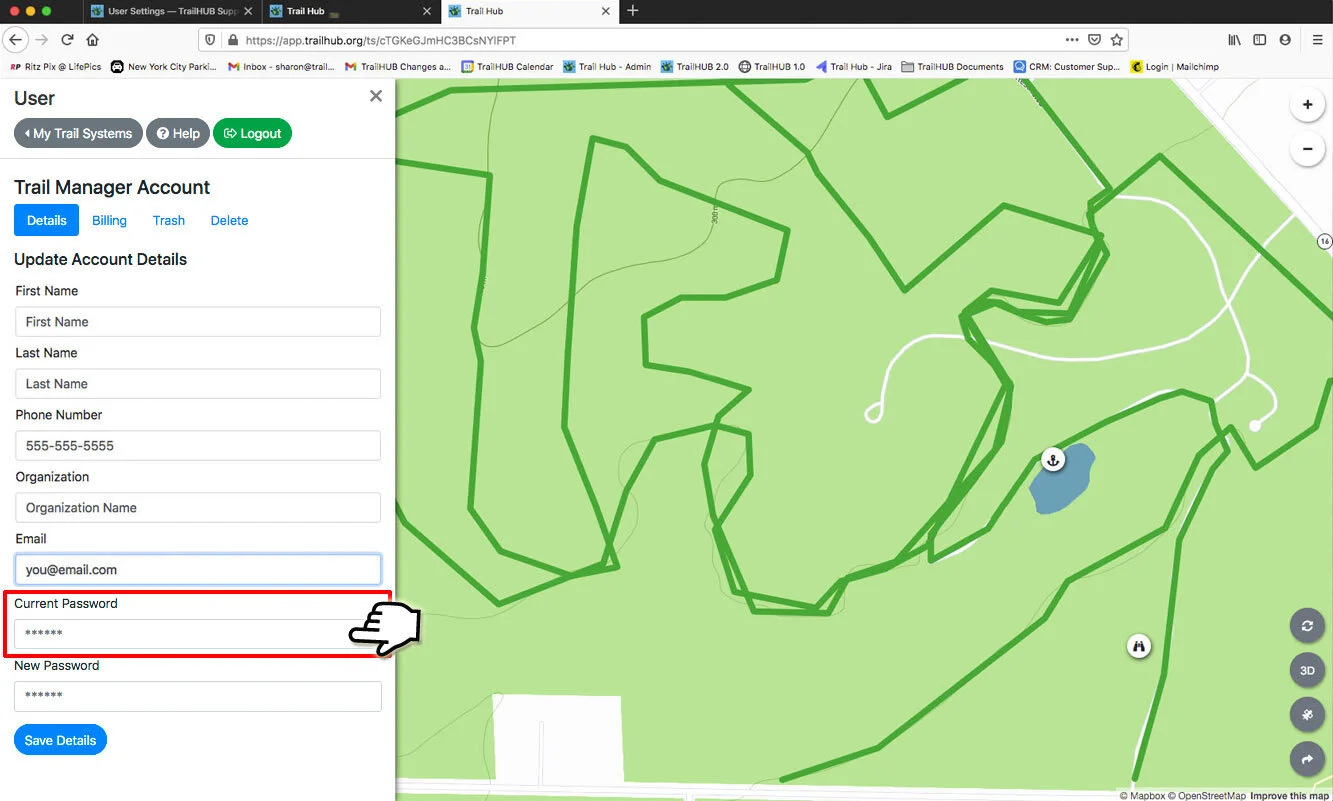
- Enter your current password in the Current Password field. This is required for every save, because TrailHUB re-authenticates you before changing account details.
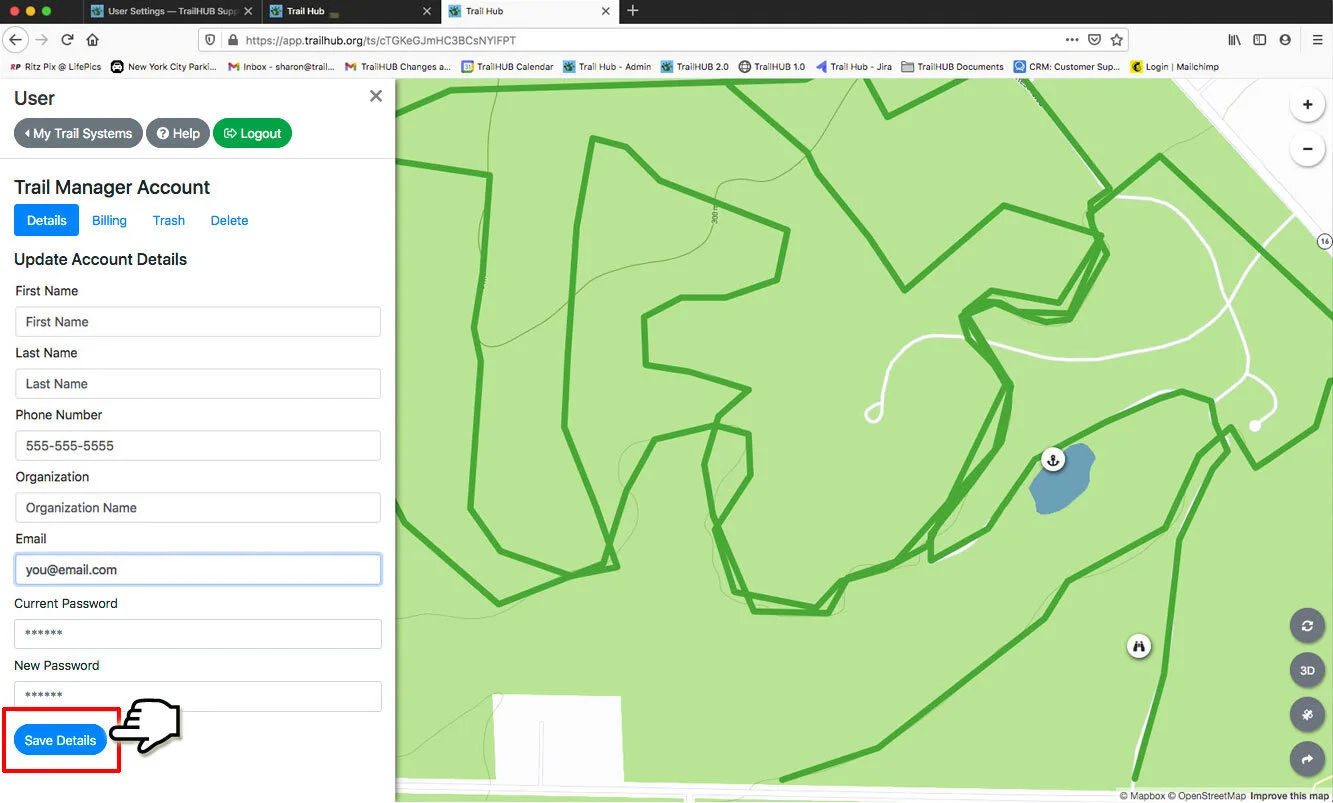
- Select Save Details. A "Settings updated!" message confirms the change.
#Notes
- Changing your email also changes the address you log in with and the address trustees use to invite you.
- If you have forgotten your current password, use Reset your password instead.
- Billing contact details are managed separately through Manage Plan and Billing on the Billing tab.