
Public User Settings
Manage your subscriptions, notification preferences, account details, and account deletion from the public User Settings menu.
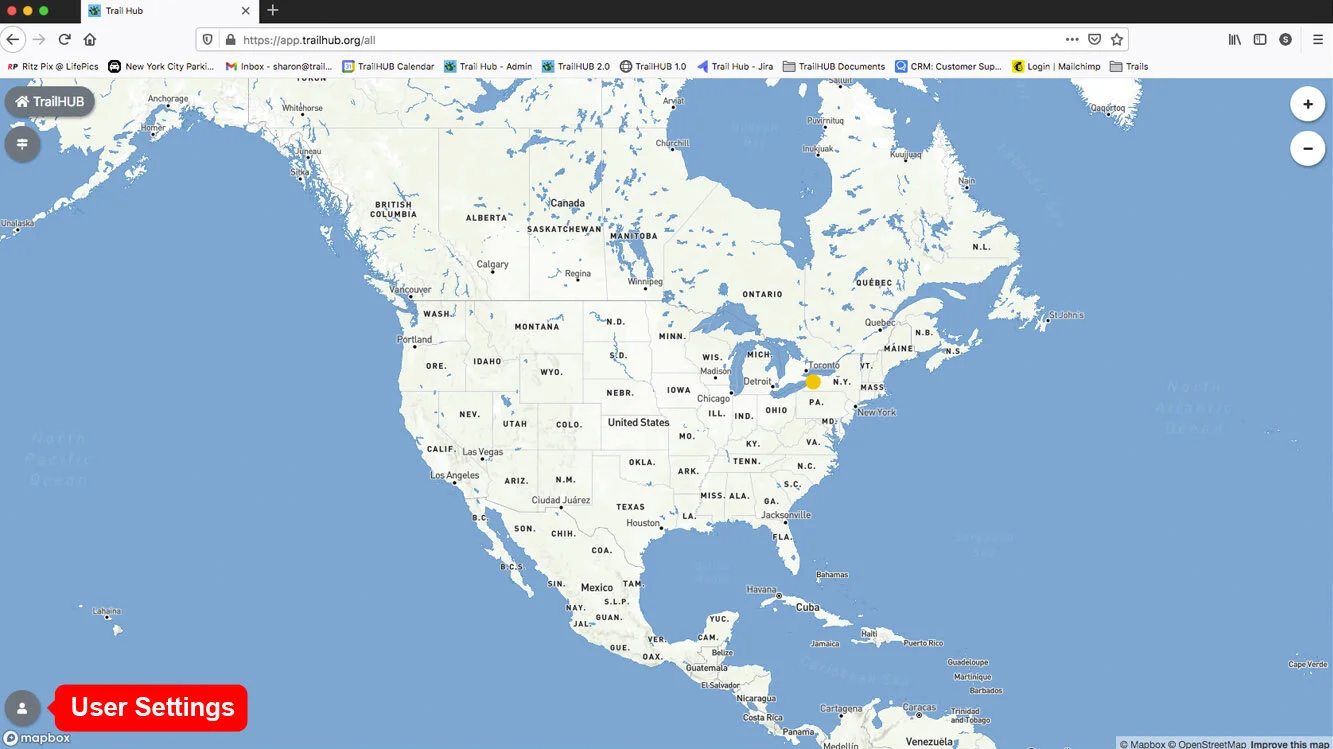
Open User Settings from the navigation bar while signed in to your public account. It has four tabs: Subscriptions, Details, Delete, and Logout.
#Subscriptions
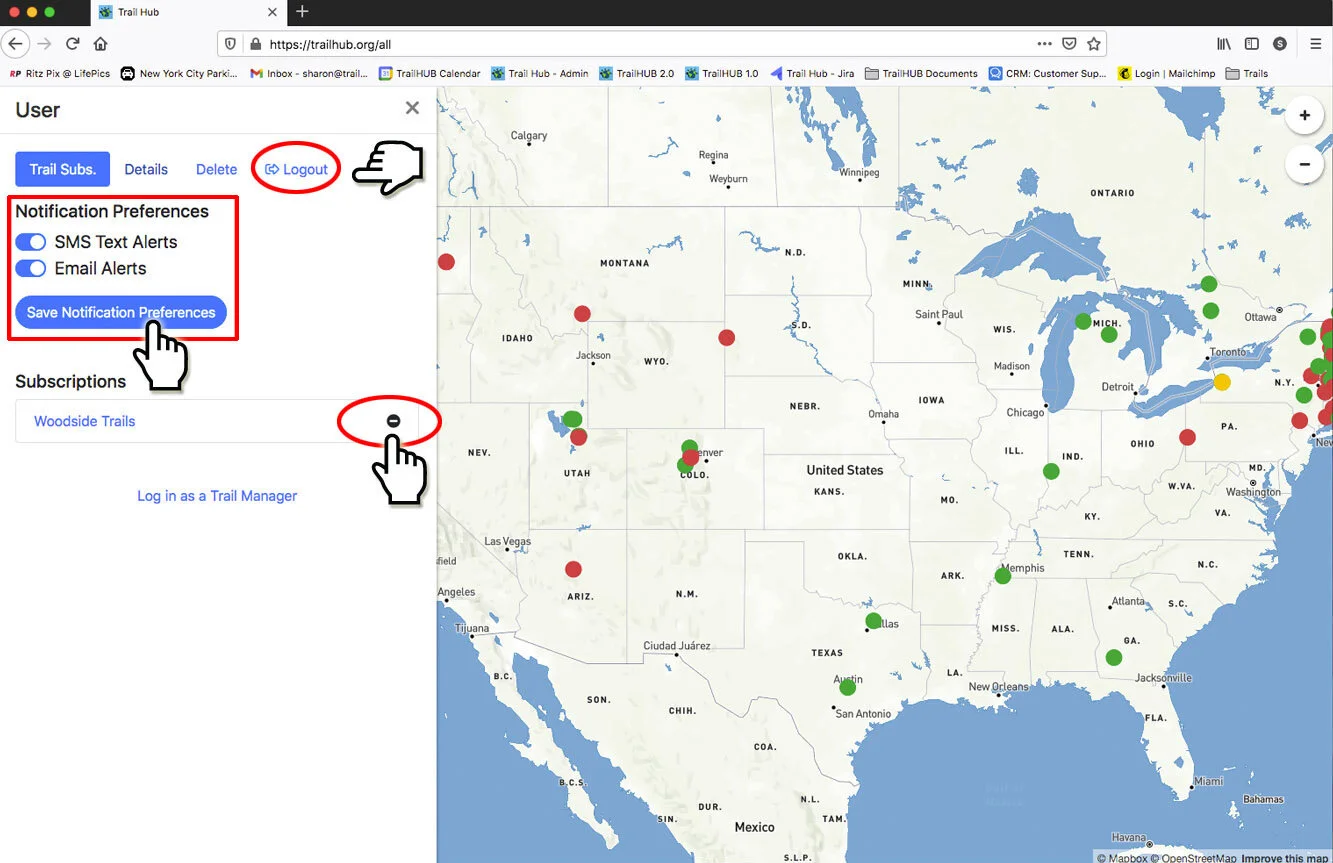
- Notification Preferences – switch SMS Text Alerts and Email Alerts on or off and select Save Notification Preferences. See notification settings.
- Subscriptions – every trail system you subscribe to, with a link to open it and a minus icon to unsubscribe.
#Details
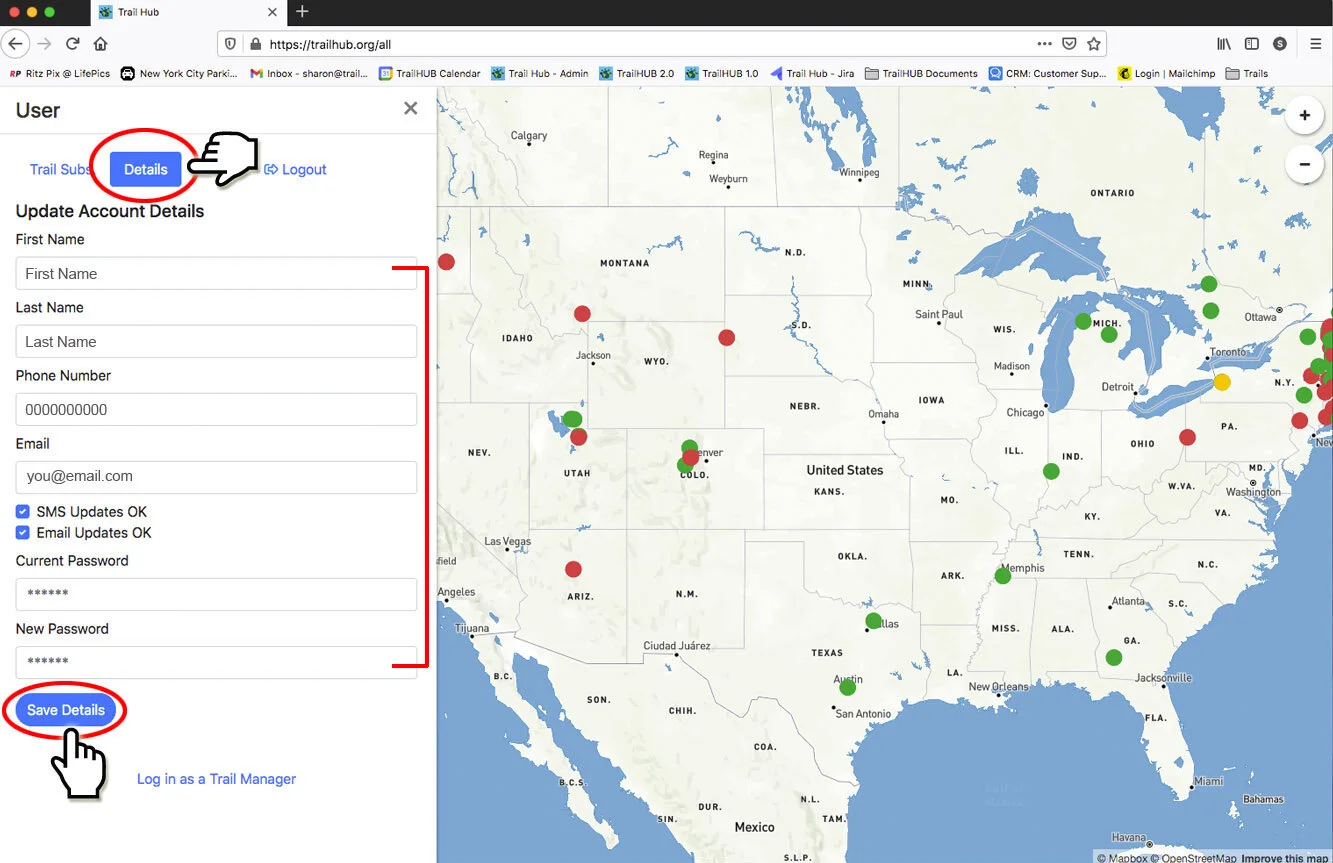
Update your First Name, Last Name, Phone Number (used for SMS alerts), Email, notification checkboxes, and Password. For security you must enter your Current Password before selecting Save Details; enter a New Password only if you want to change it.
#Delete
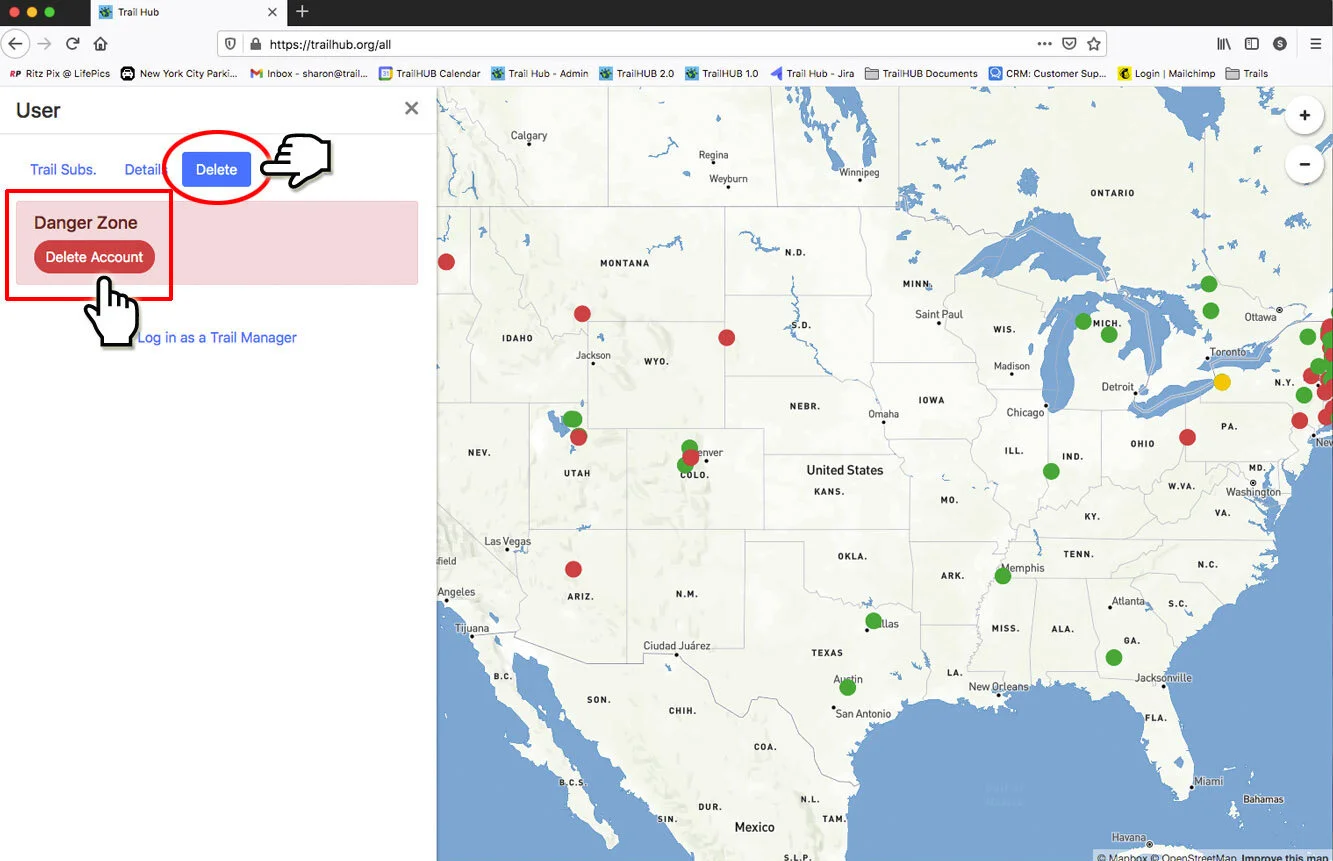
The Danger Zone contains Delete Account. Deleting is permanent and removes all your subscriptions. If you have been signed in for a long time, TrailHUB may ask you to log out and back in before it will delete the account.
#Logout
Select Logout to sign out of your public account on this device.