
Public User Accounts Overview
Create a free public account to subscribe to trail systems and receive email or SMS alerts when they post updates.
Anyone can browse TrailHUB trail systems without an account. A free public user account adds the ability to subscribe to the trail systems you care about and receive email and/or SMS text alerts whenever they post a notice, surface conditions, or snow report.
Public accounts are separate from trail manager accounts. If you manage a trail system and also want alerts, create a public account too; you can use the same email address for both.
#In this section
- Create a public account
- Subscribe to a trail system
- Unsubscribe
- Notification settings
- Public user settings
- Map guide
- Map view modes
- Using TrailHUB on your phone
For trail managers: How the public finds you and How subscriber alerts work.
#Explore trail systems
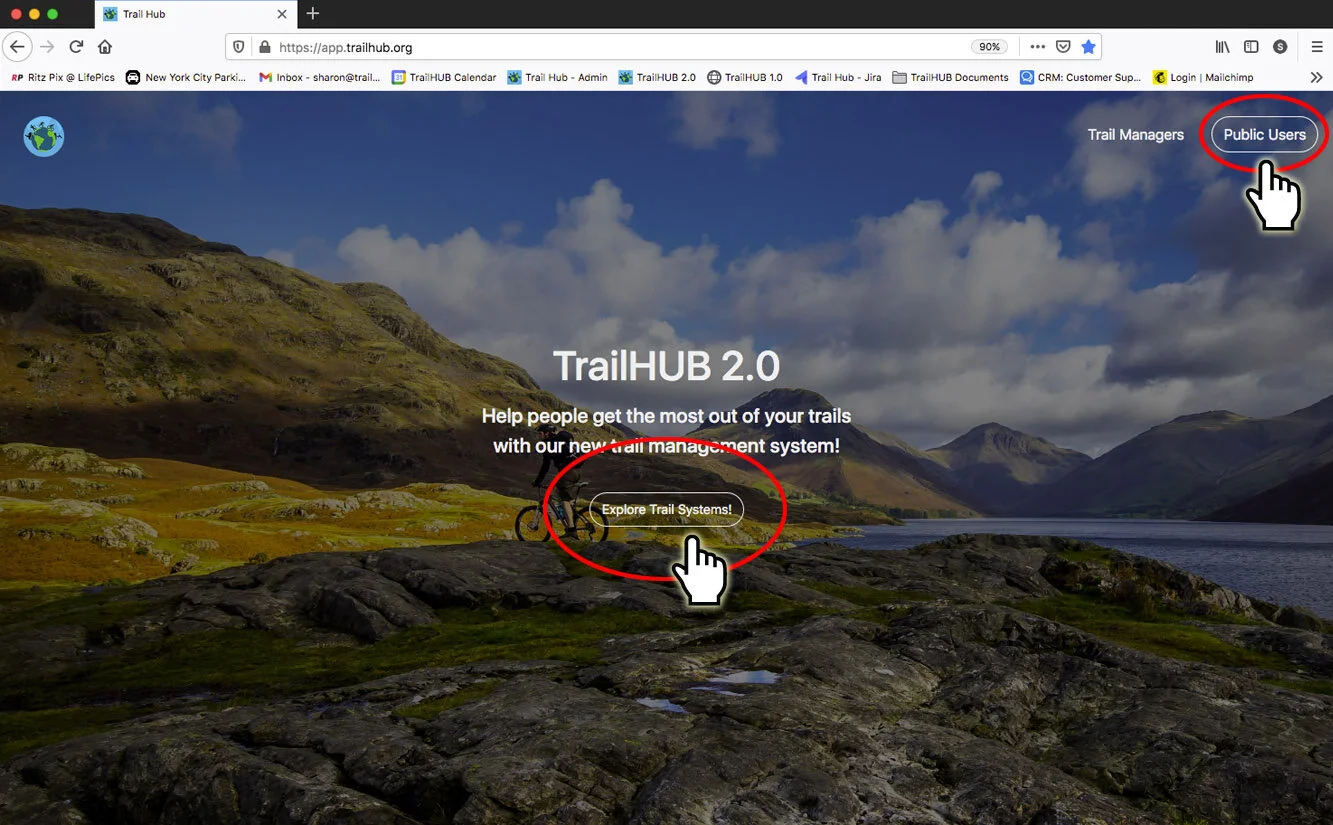
Go to trailhub.org:
Select Explore Active Trail Systems in the middle of the page to open the map of every active trail system, or
Select Public Users in the upper right to sign in or create a public account. After signing in you land on the same map.
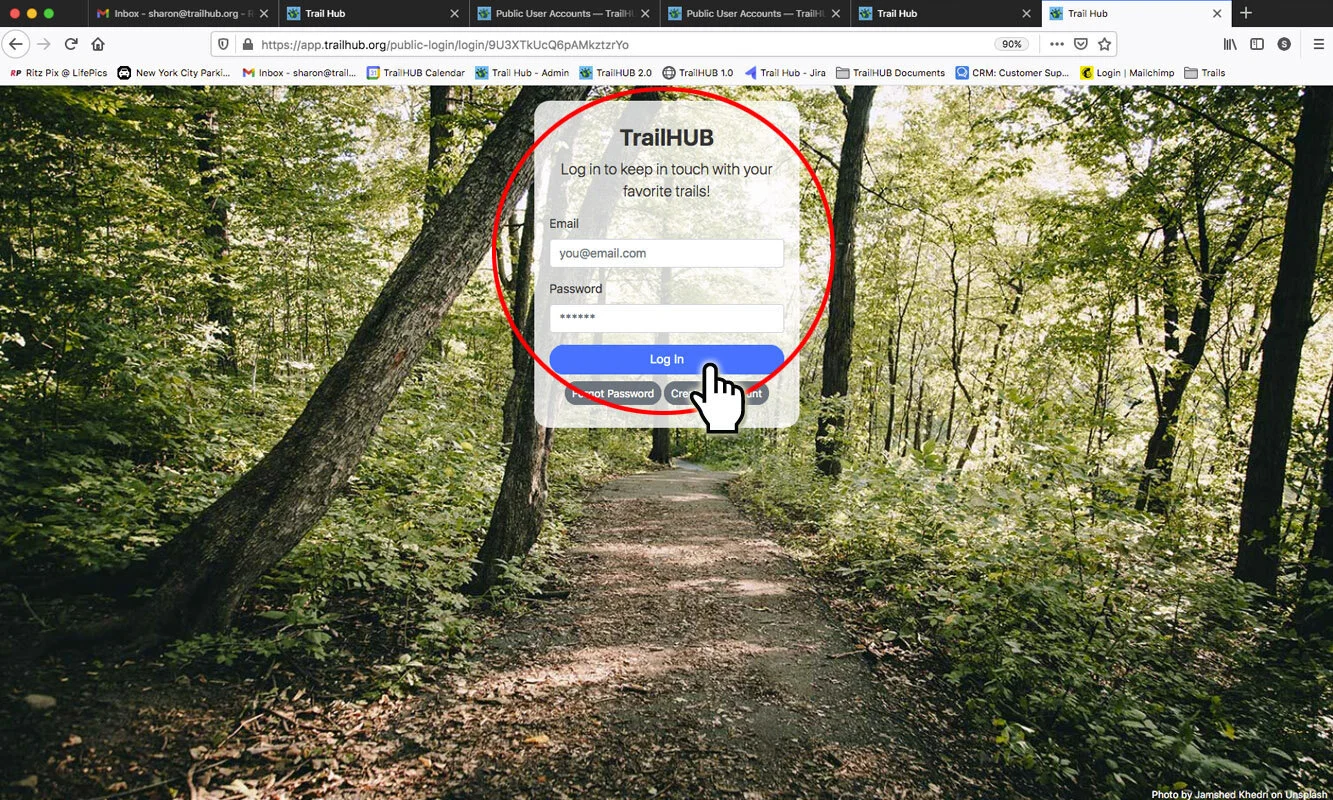
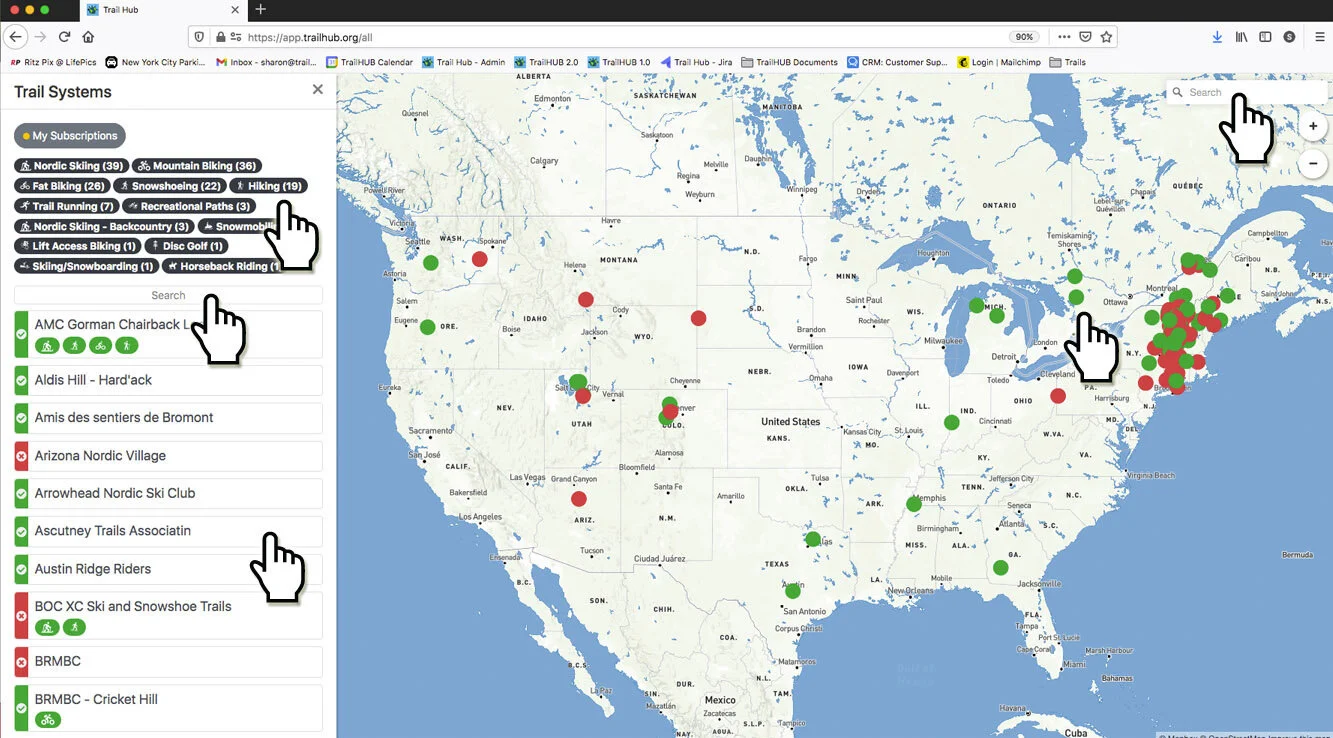
The side panel lists all active TrailHUB Customers. When you are signed in, select My Subscriptions to see only the trail systems you subscribe to.
Find a trail system by:
- scrolling through the list
- selecting an activity to filter the list
- typing an organization name in the list's search field
- clicking a dot on the map
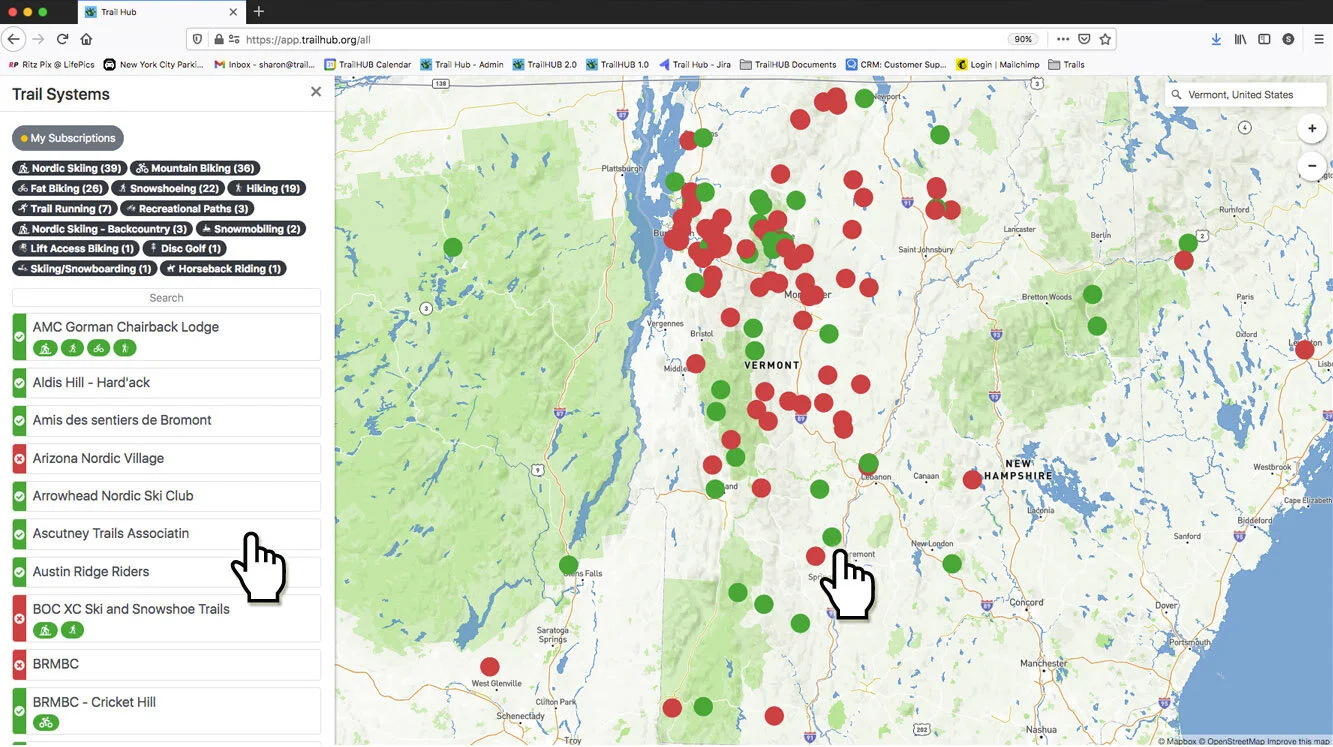
- entering a place or postal code in the map search field to move the map
- Select a trail system's name in the list, or its dot on the map, to open it in a new browser tab.
Green cards and dots mean Open; red means Closed.
Questions? Contact us.
#In this section
- Create a Public Account
Sign up for a free TrailHUB public account with your name, email, password, and optional phone number for SMS alerts.
- Subscribe to a Trail System
Subscribe to a trail system from its details panel to receive email or SMS alerts when it posts updates.
- Unsubscribe from a Trail System
Remove a trail system from your subscriptions in user settings or from the trail system's own details panel.
- Notification Settings
Choose whether your subscribed trail systems reach you by SMS text, email, or both.
- Public User Settings
Manage your subscriptions, notification preferences, account details, and account deletion from the public User Settings menu.
- Map Guide
A visual tour of the all-trail-systems map, the trail system page, trail cards, and points of interest for public users.
- Map View Modes
Switch a trail system map between satellite imagery and the road map.
- For Managers: How the Public Finds You
How trail users discover your trail system, create public accounts, and subscribe, and how you can subscribe yourself.
- For Managers: How Subscriber Alerts Work
What happens when you switch on Notify Subscribers on an update, and what your subscribers receive by email and SMS.
- Using TrailHUB on Your Phone
TrailHUB works in any phone browser; add it to your home screen on iOS or Android for one-tap access to your trail systems.