
Edit Trail System Details
Change a trail system's name, description, contact details, map location, measurement units, language and activity display, or trash it.
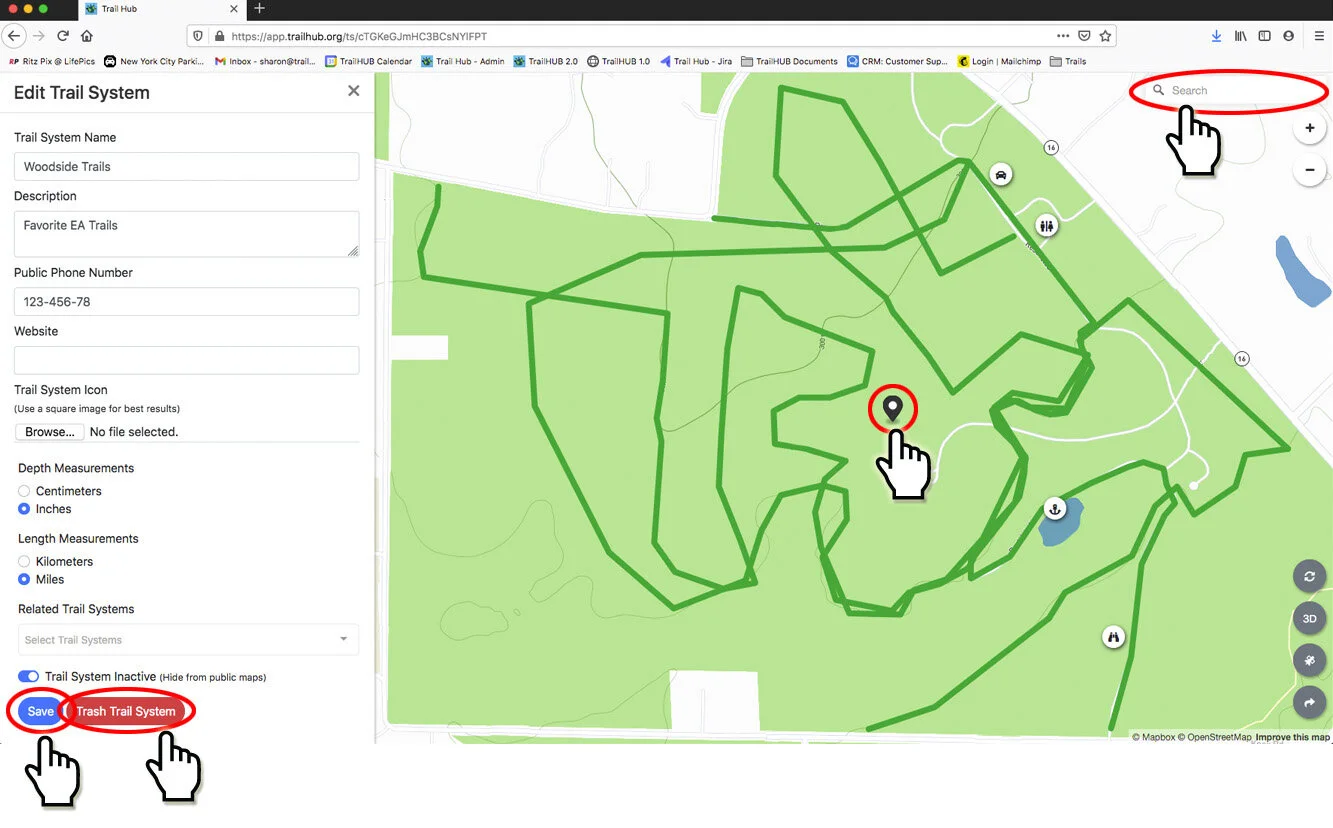
Administrators can change the following in Trail System Settings:
- Trail system name and default map location
- Description
- Public phone number and website
- Trail System Icon (see Upload your logo) and Hide Trail System Title
- Depth measurements (centimeters or inches), used for snow reports
- Length measurements (kilometers or miles)
- Temperature measurements (Celsius or Fahrenheit)
- Language (English or French) for the public interface
- Hide Activities and Default Activity
- Related trail systems, the browse all of TrailHUB link, categories and Trail System Inactive
- Trash the trail system
#Steps
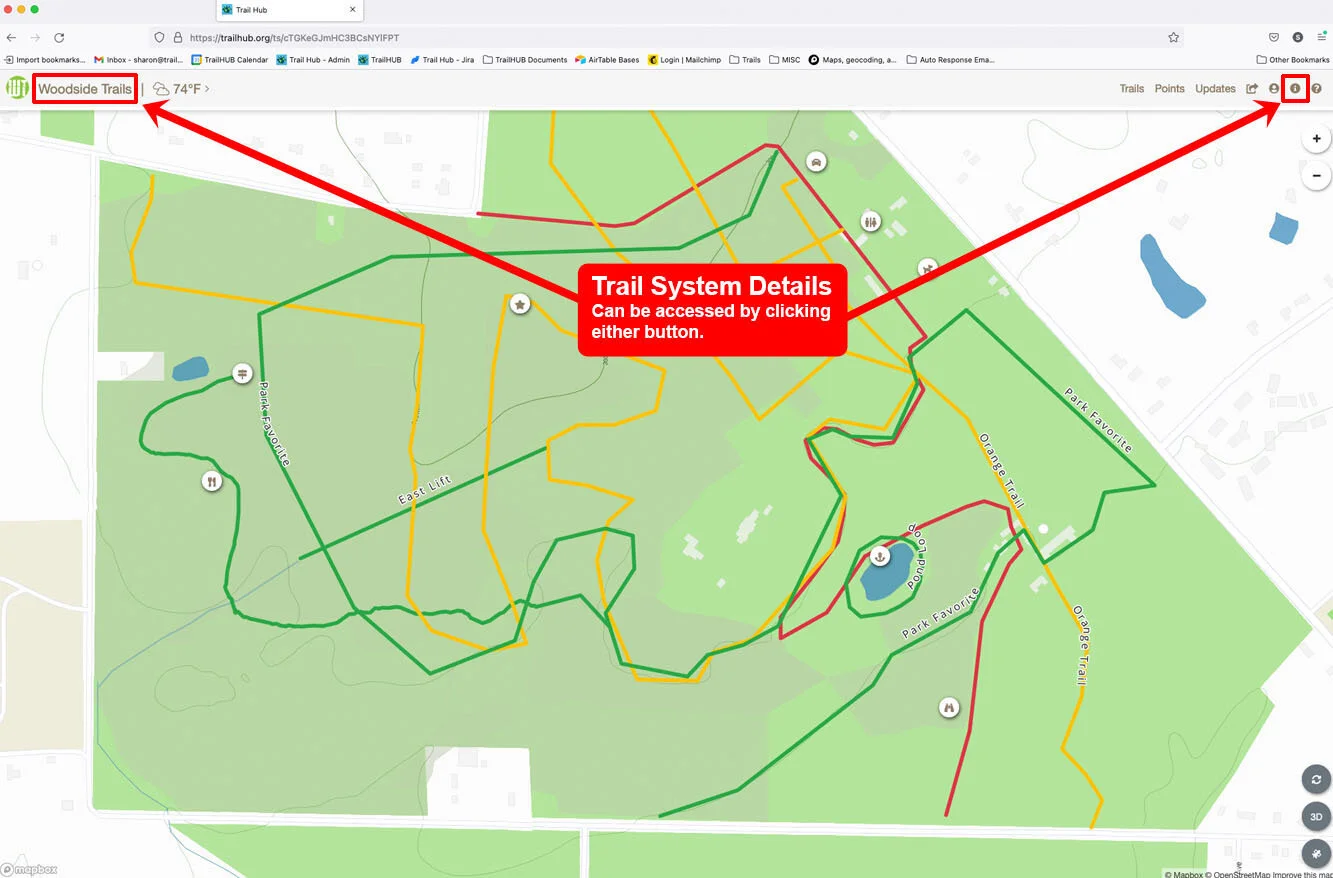
- Select Trail System Details in the navigation bar.
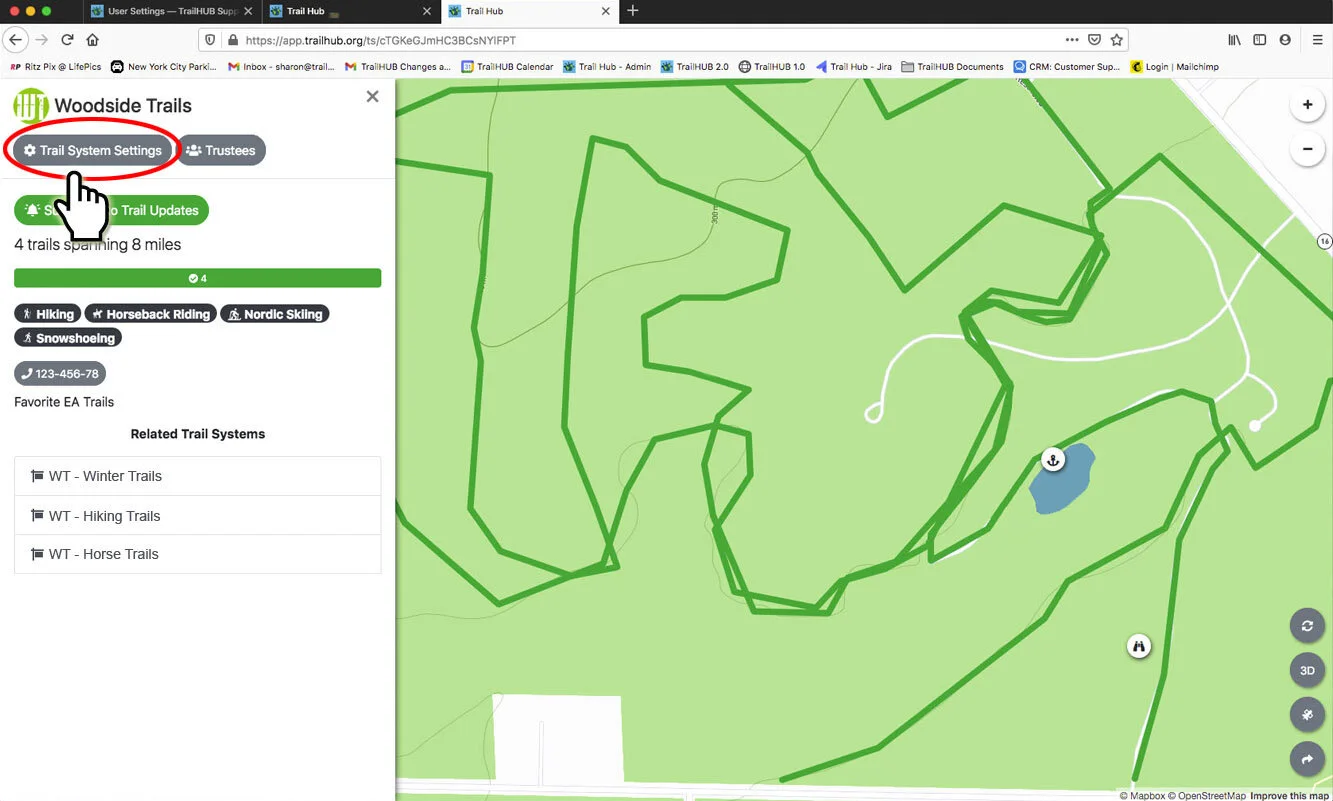
- Select Trail System Settings. This button is only shown to the owner and administrators.
- Edit the form. To move the default location, click a new spot on the map, or use the search box in the upper right of the map to fly to an address and then click. The default location is where the map centres when a trail system has no trails yet; once you have trails, the map fits to them instead.
- Select Save. A "TrailSystem updated!" message confirms the change and the Trails list reopens.
#Activity display
- Hide Activities removes the selected activities from the public trail list and filters without deleting any trails. Useful for taking summer activities off a winter map.
- Default Activity sets which activity filter the map opens on. Leave it blank to show all activities. Select Clear Default Activity to reset it.
#Trashing a trail system
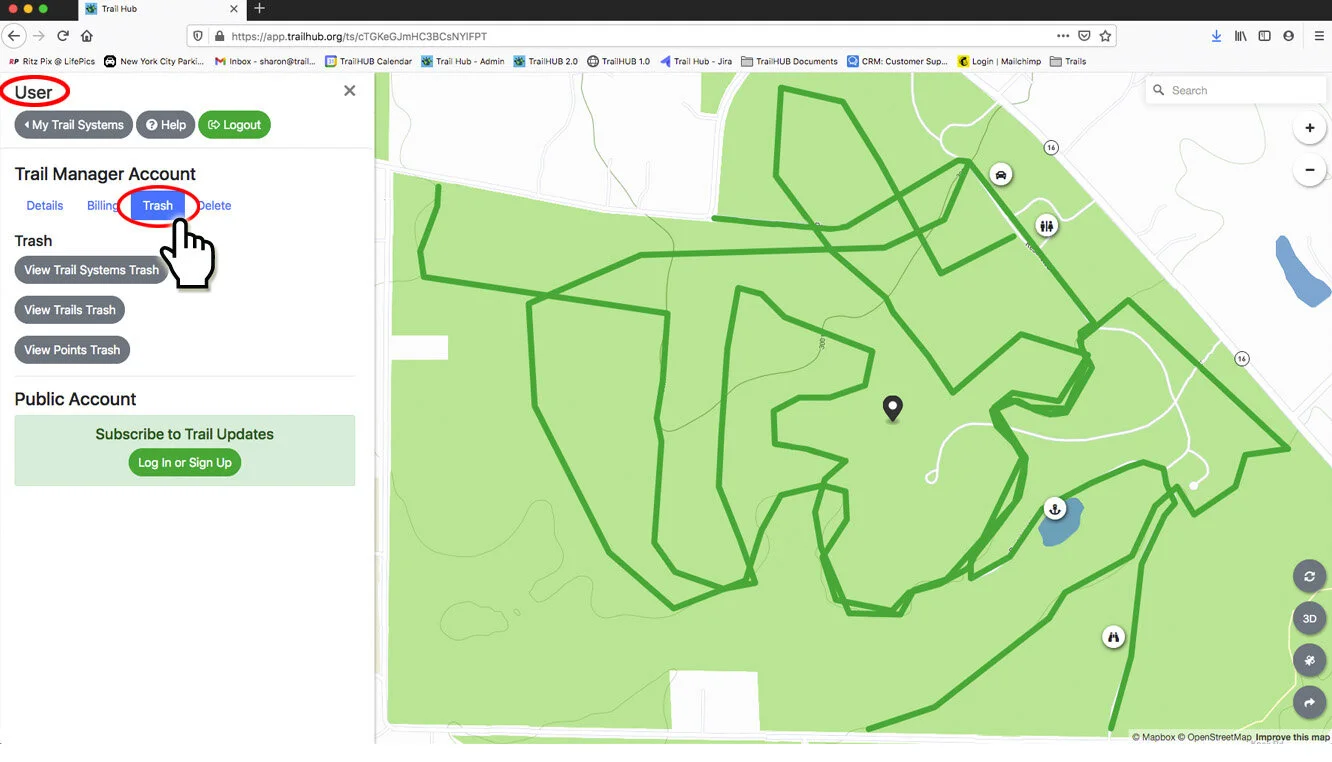
Trash Trail System moves the trail system, and every trail and point in it, to your trash. You are asked to confirm first. Trashed trail systems can be restored from User Settings → Trash; restore the trail system before trying to restore any of its trails or points. See User Settings.