
Unsubscribe from a Trail System
Remove a trail system from your subscriptions in user settings or from the trail system's own details panel.
You can unsubscribe from a trail system in two places. Either way, you stop receiving its alerts immediately.
#From user settings
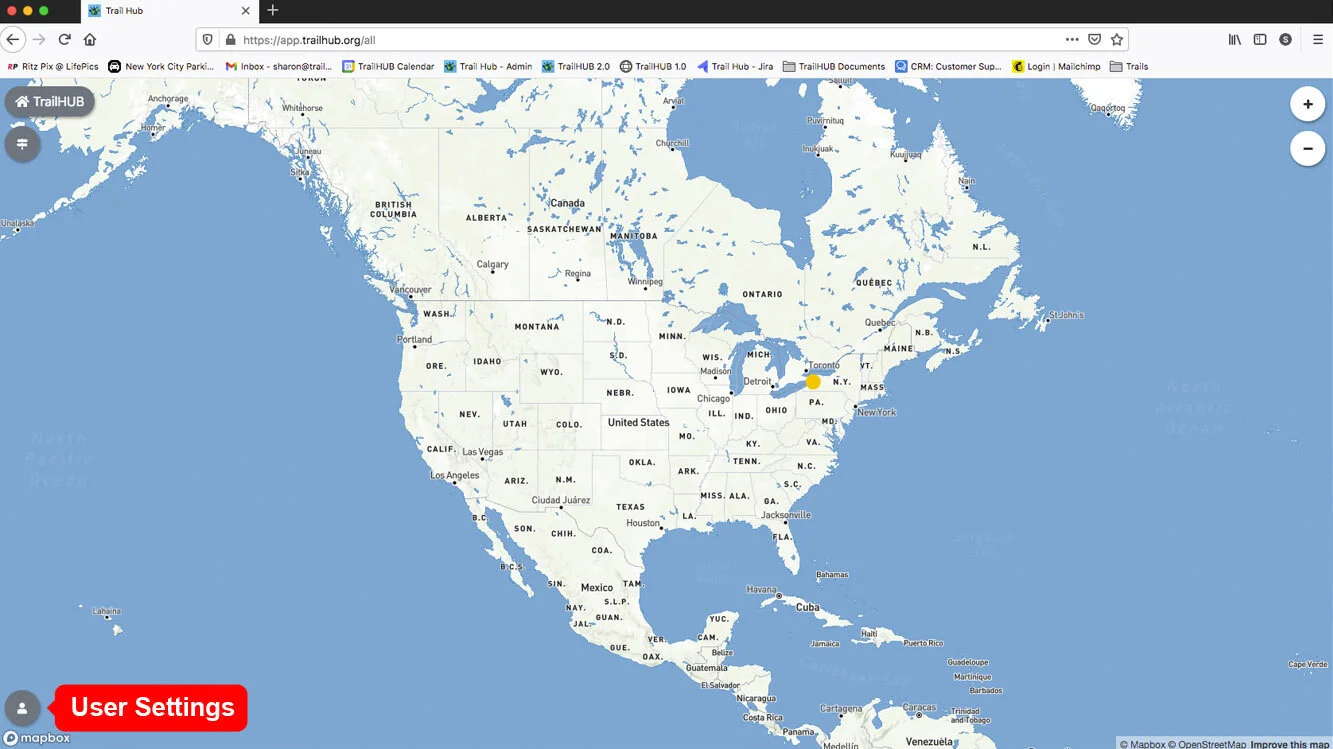
- Open User Settings while signed in to your public account.
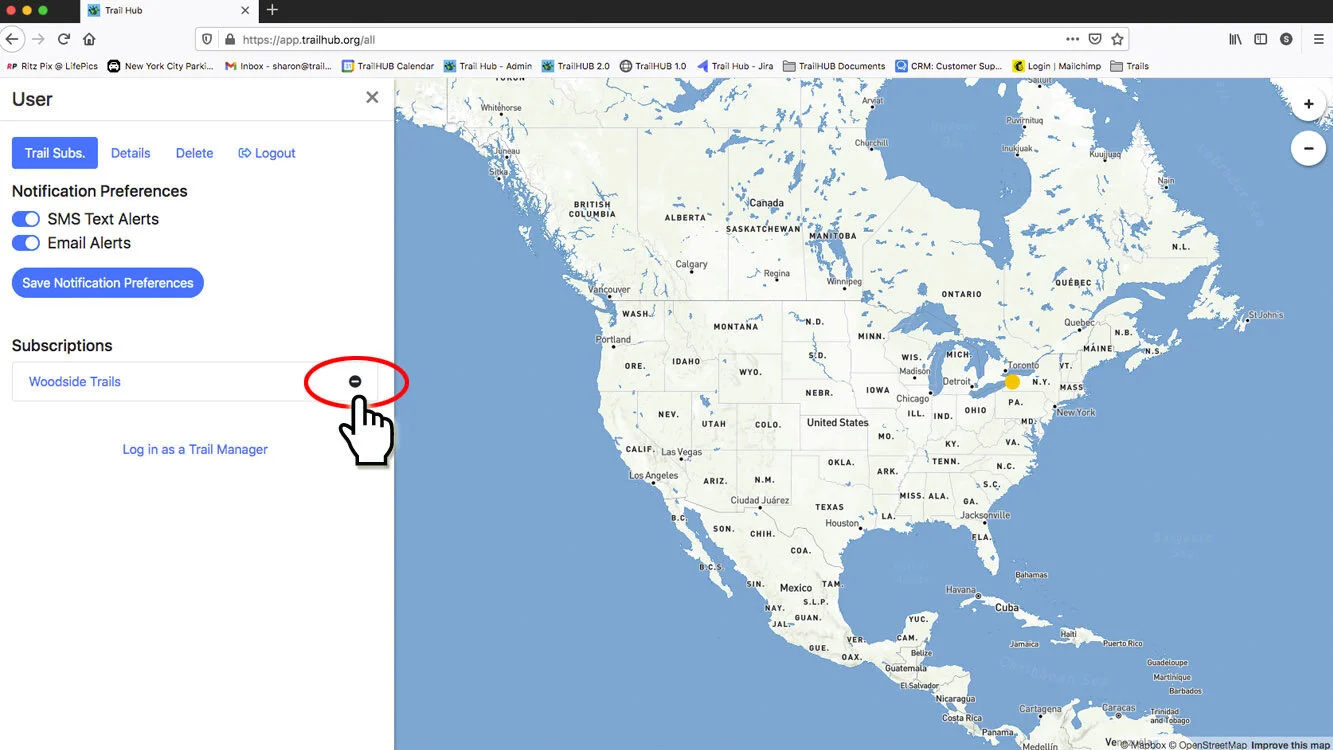
- On the Subscriptions tab, select the minus icon to the right of the trail system. It is removed from your list right away.
#From the trail system page
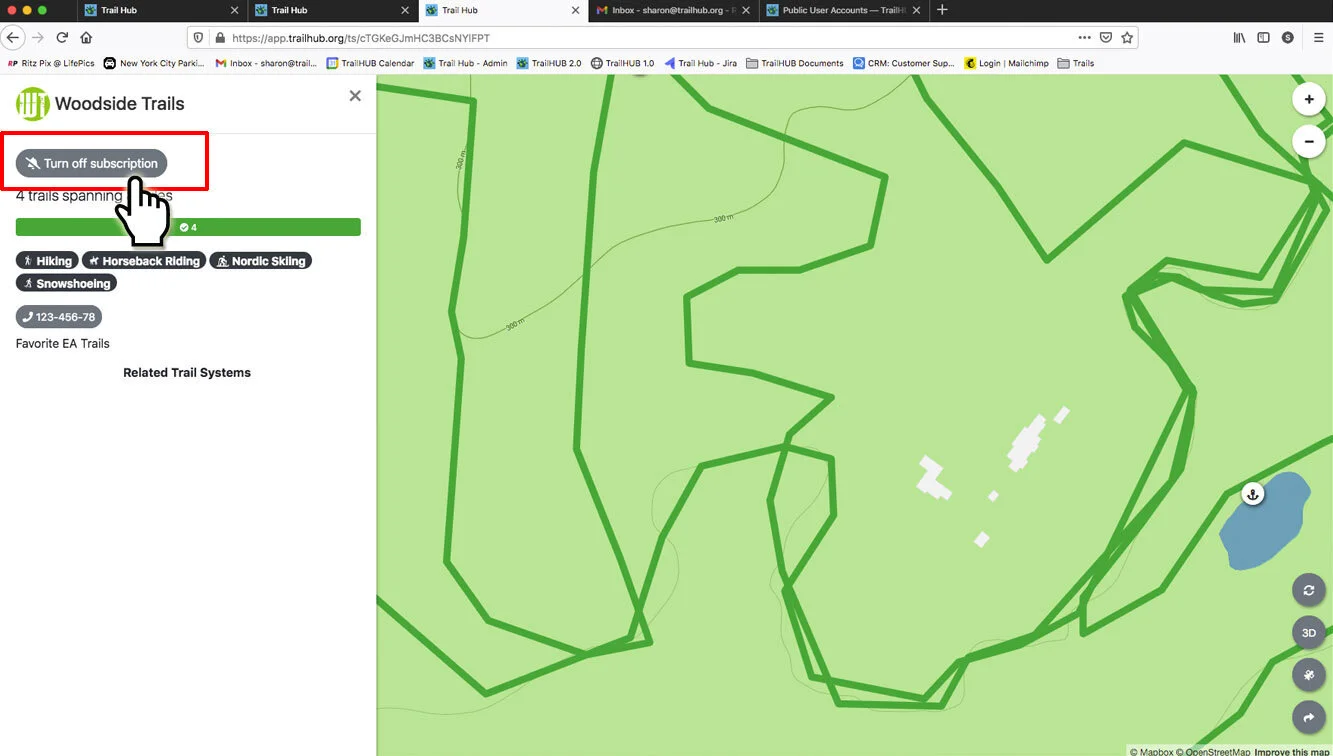
Open the trail system, select its name in the upper left to show its details, and select Turn off subscription.
To stop all alerts without unsubscribing, switch off both channels in your notification settings instead.