
Create a Trail Manager Account
Sign up for a TrailHUB trail manager account and set up your first trail system.
A trail manager account lets you create and manage trail systems. It is separate from a public account, which is for people who want to follow trail systems and receive alerts.
#Steps
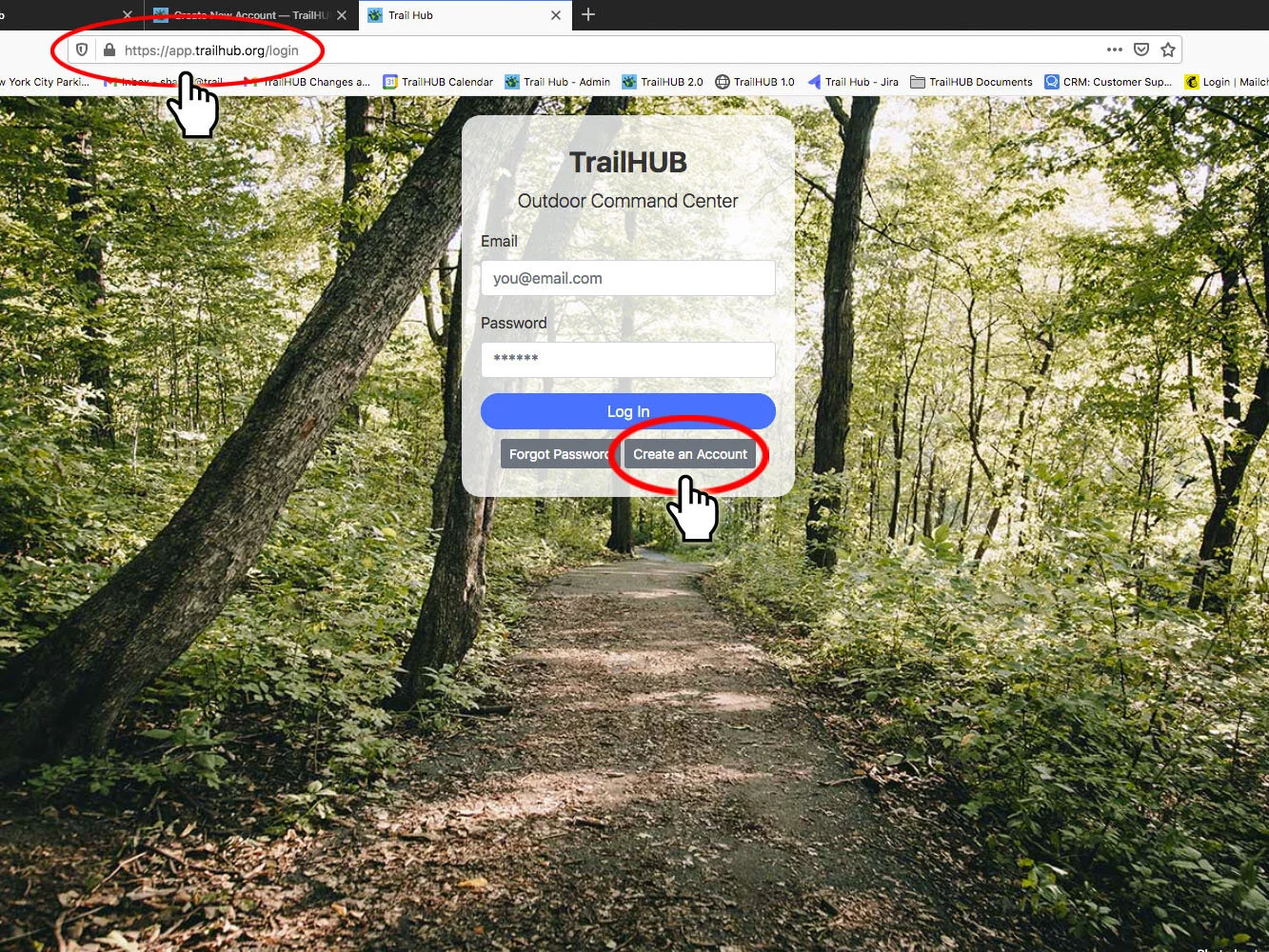
- Go to https://trailhub.org/login.
- Select Create an Account.
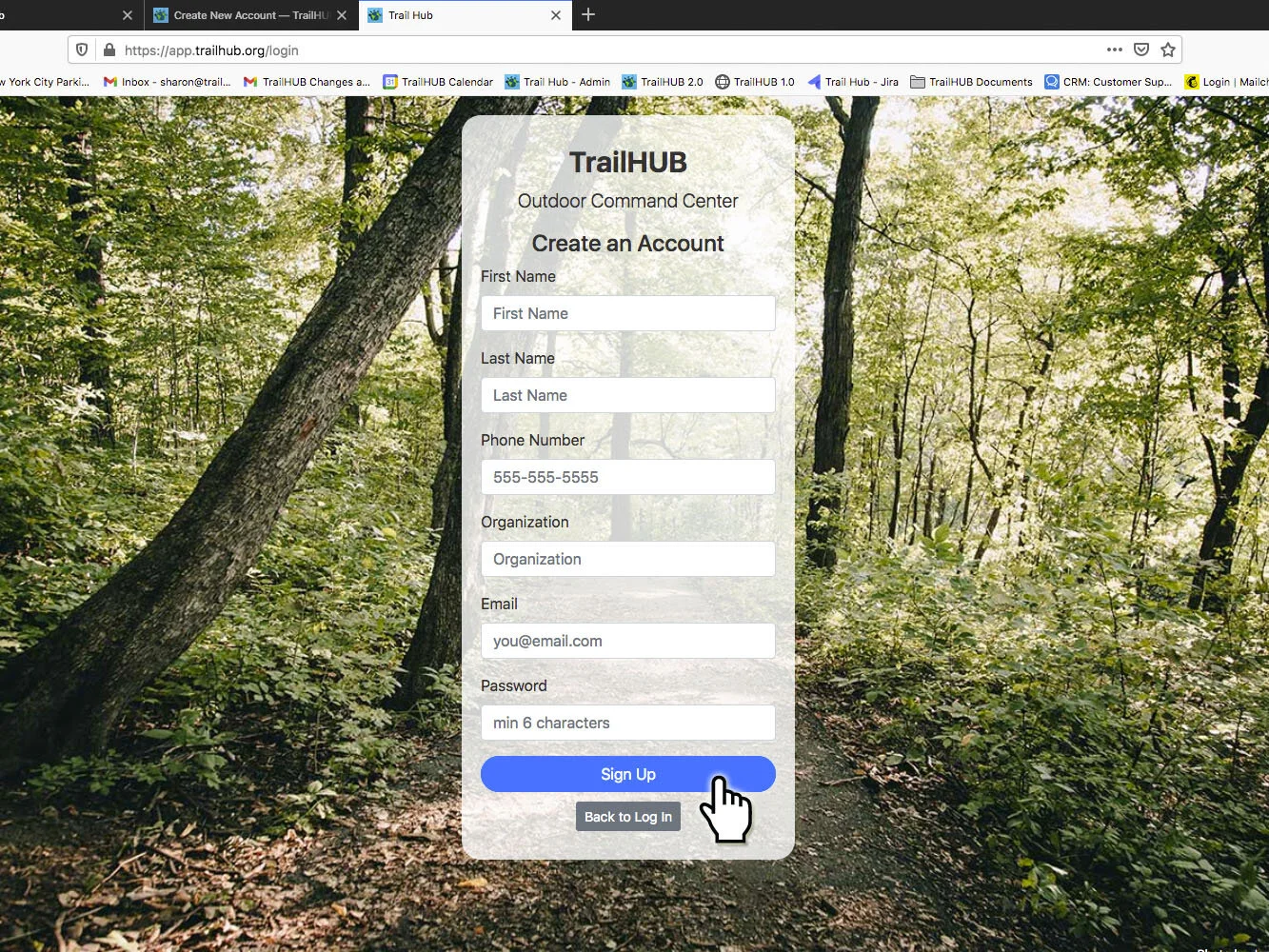
- Fill in your first and last name, phone number, organization, email and a password (at least 6 characters).
- Select Sign Up.
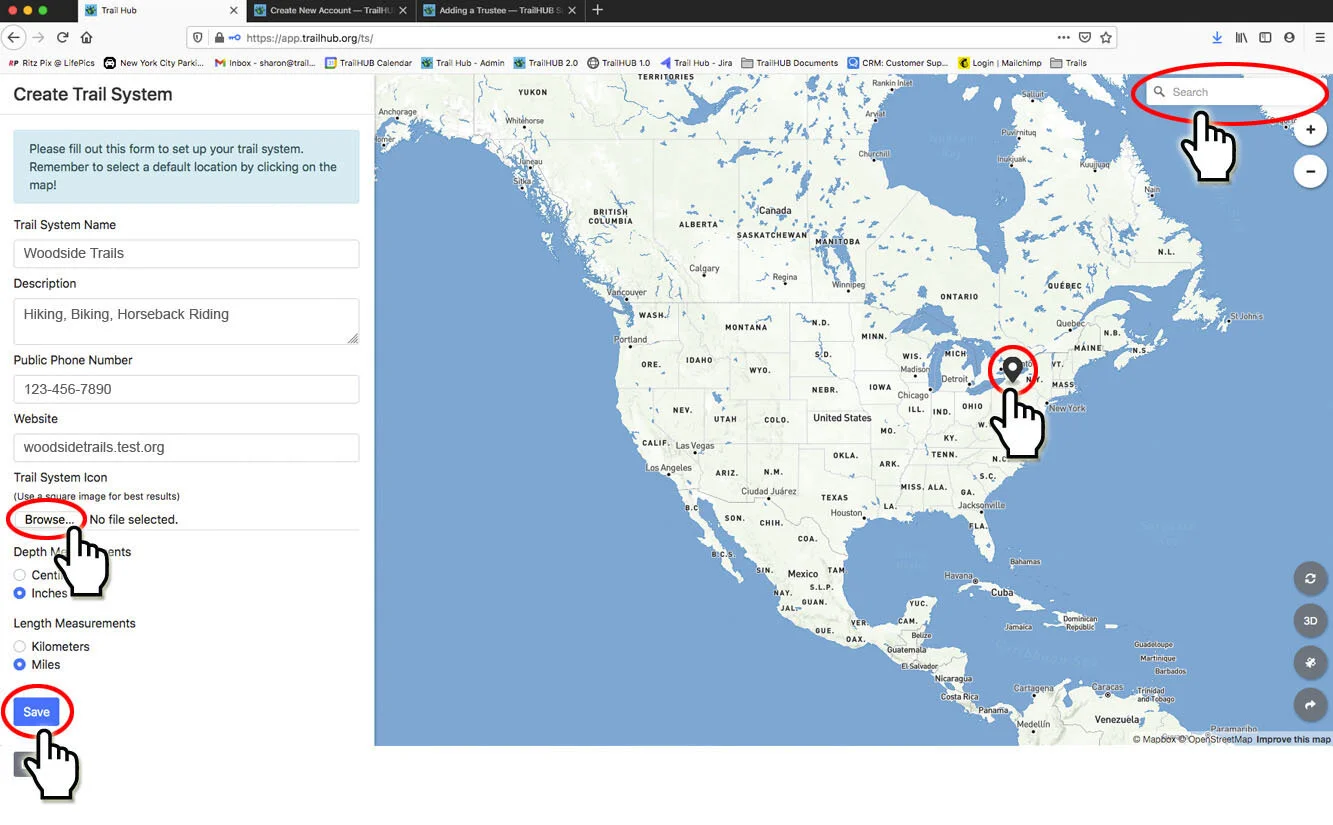
- The Create Trail System form opens. Enter the trail system's name, description, public phone number and website, and choose your depth, length and temperature units and language (English or French).
- Optionally upload your organization's logo or icon (.png or .jpg). It appears next to your trail system name and on visitors' home screens if they save your page.
- Select a default location by clicking on the map, or use the search box in the upper right of the map to fly to an address and then click.
- Select Save. You cannot save until a default location has been set.
Your new trail system opens on the map. It starts with Trail System Inactive switched on, which keeps it out of the public TrailHUB directory until you are ready; see Hide a trail system.
If you were invited to an existing trail system as a trustee, you can skip the Create Trail System form by selecting Log out beneath it; see Trustees.