
Upload Your Logo
Add your organization's logo or icon to a trail system so it appears in the navigation bar, on embeds and on visitors' home screens.
Each trail system can have its own icon. It appears beside the trail system name in the navigation bar, in signage mode, and as the home-screen icon when a visitor saves your trail system to their phone (see Phone app). Custom branding is included on every plan.
Use a square .png or .jpg. TrailHUB generates 512 px and 1500 px versions automatically, so upload at least 512 x 512 px.
#Steps
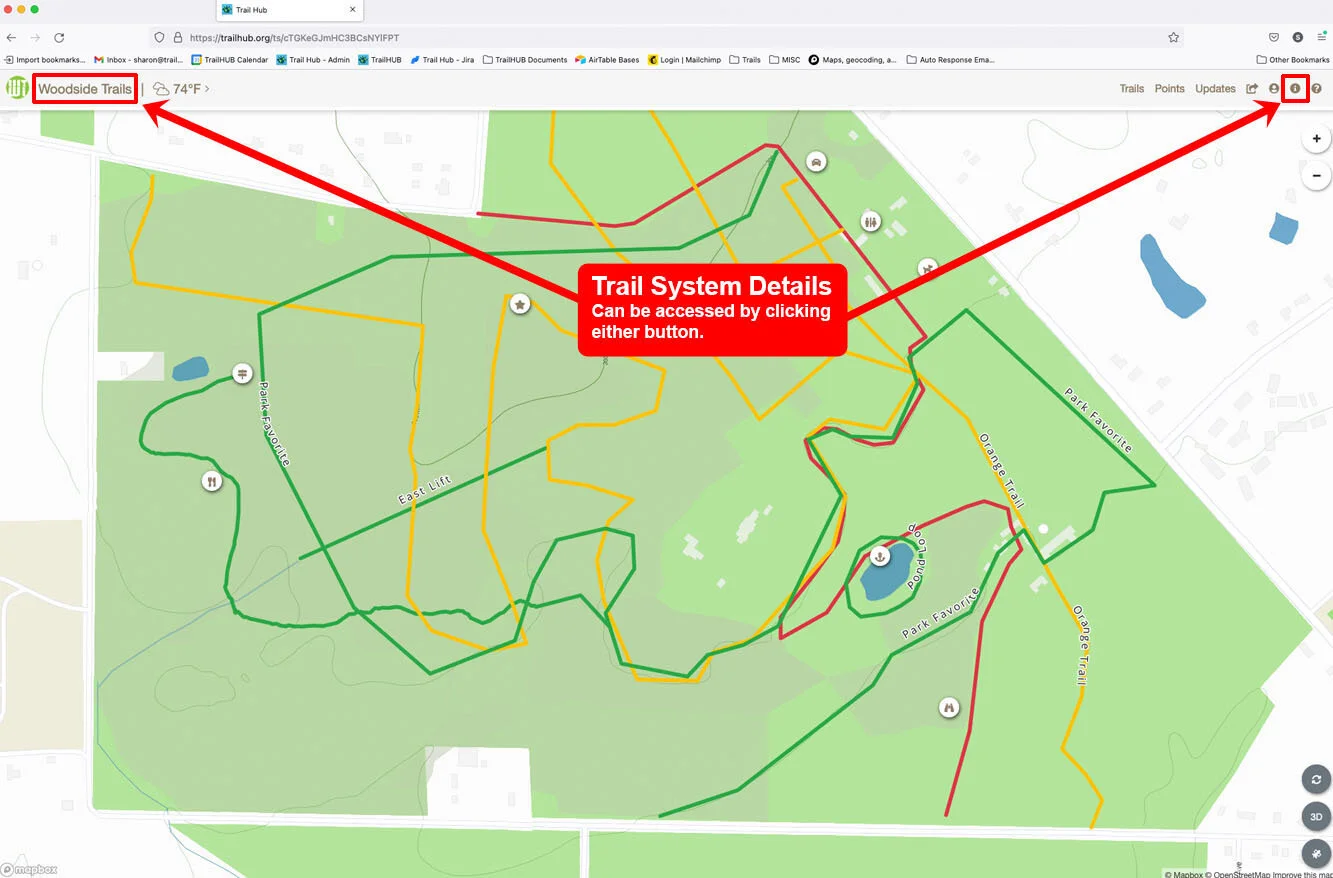
- Select Trail System Details in the navigation bar.
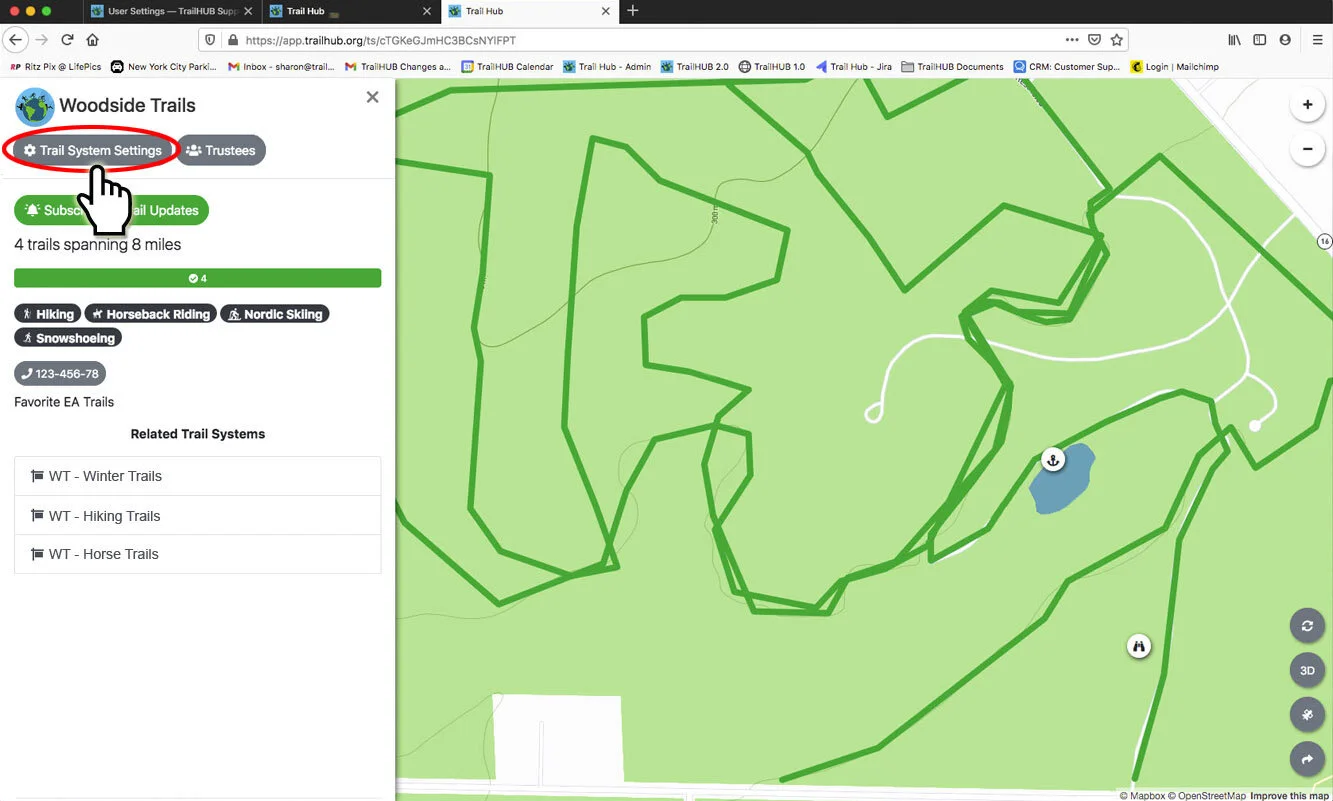
- Select Trail System Settings (owner and administrators only).
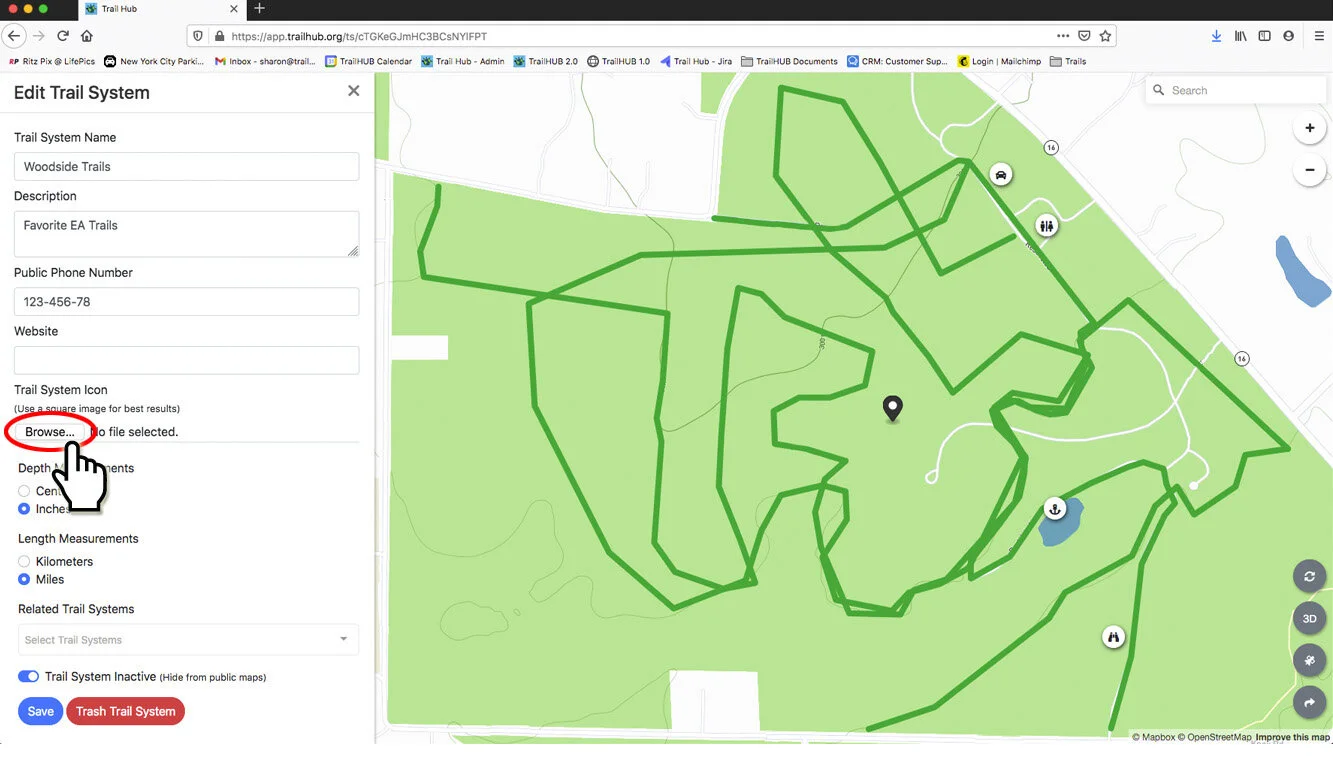
- Under Trail System Icon, select the file input and choose your image. A thin progress bar shows the upload; a preview appears when it finishes.
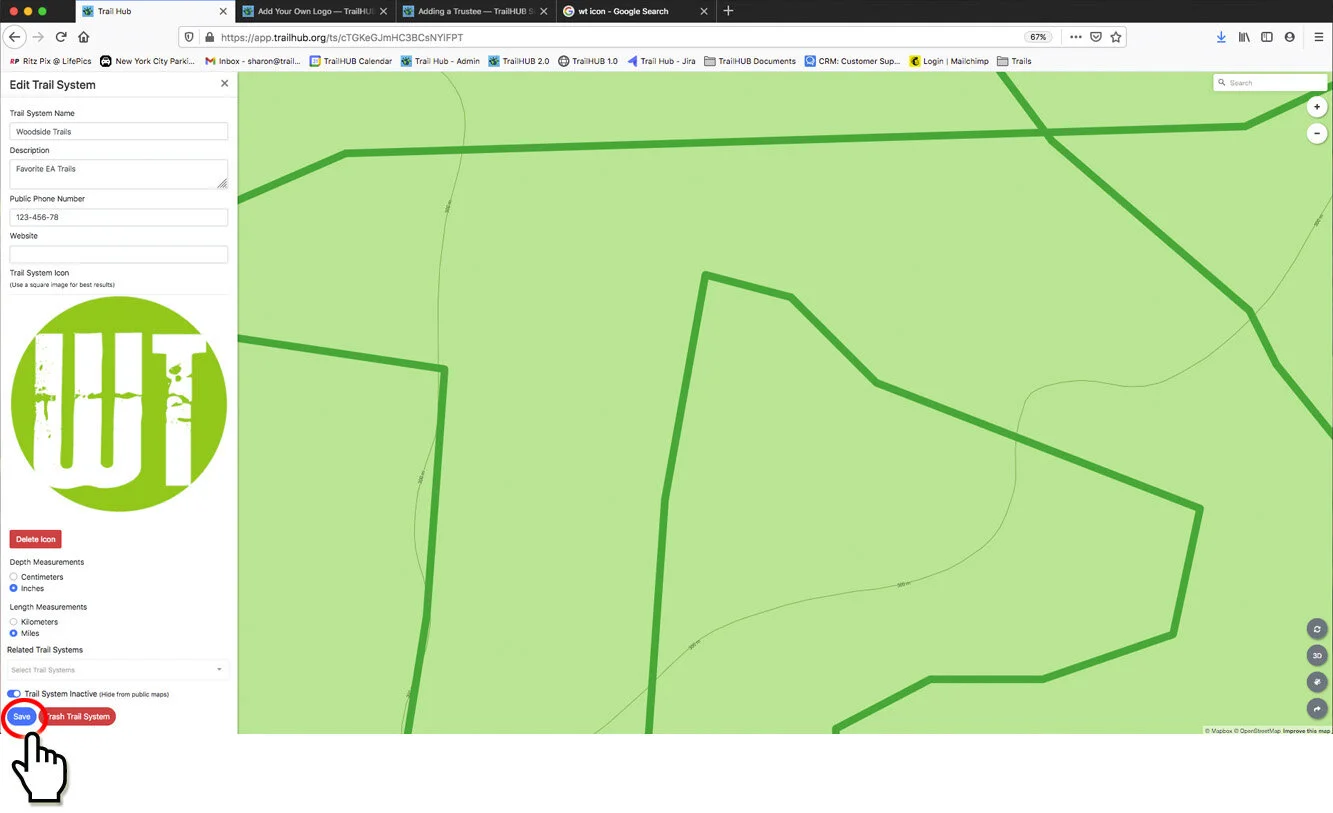
- Select Save at the bottom of the form.
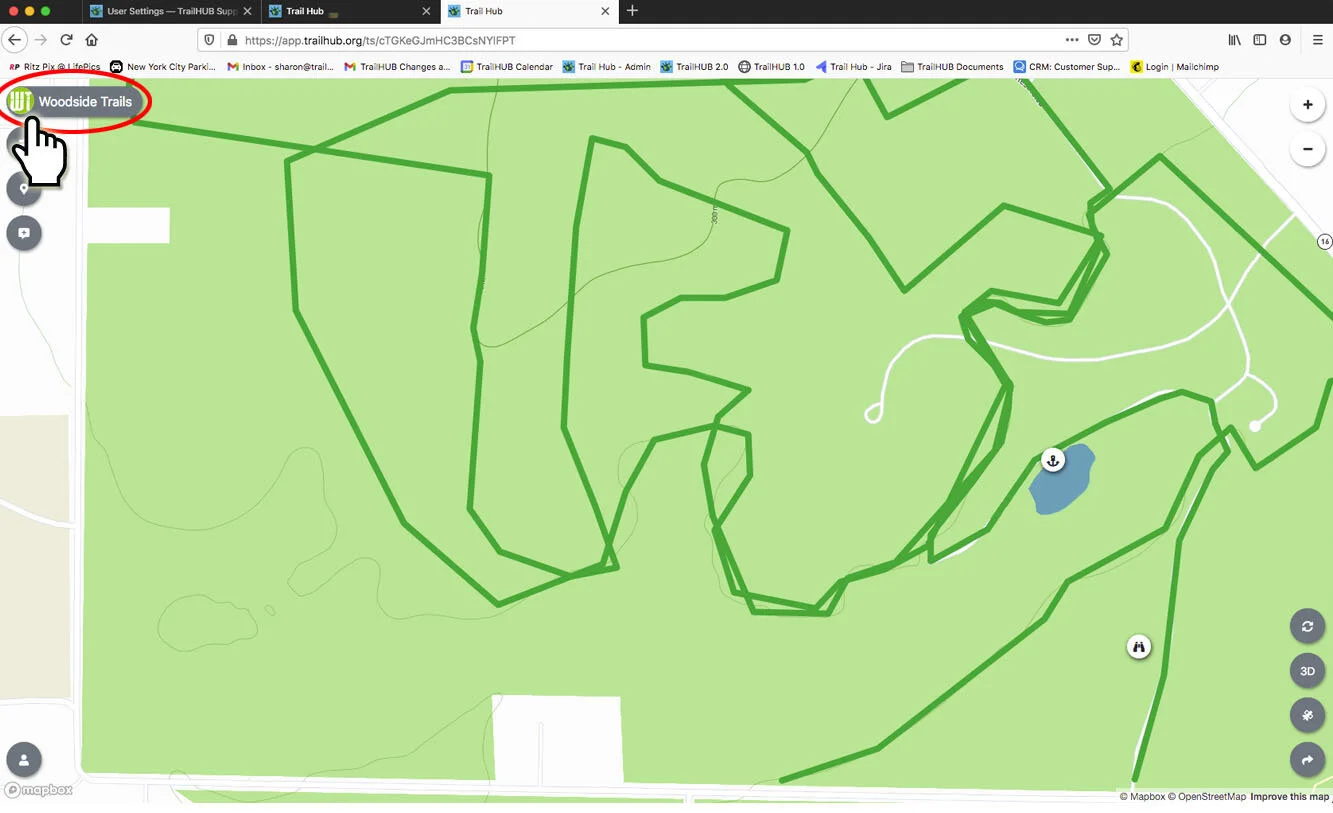
- Your icon now appears in the upper left of the navigation bar. Refresh the page if you do not see it straight away.
#Tips
- To show only the icon and no text in the navigation bar, switch on Hide Trail System Title just below the icon field.
- To replace the icon, select Delete Icon under the preview, then upload a new file and save.