
For Managers: How Subscriber Alerts Work
What happens when you switch on Notify Subscribers on an update, and what your subscribers receive by email and SMS.
Subscriber alerts are how your updates reach people when they are not looking at your trail system. They are sent by TrailHUB on your behalf; you never see or handle subscribers' email addresses or phone numbers.
#How someone becomes a subscriber
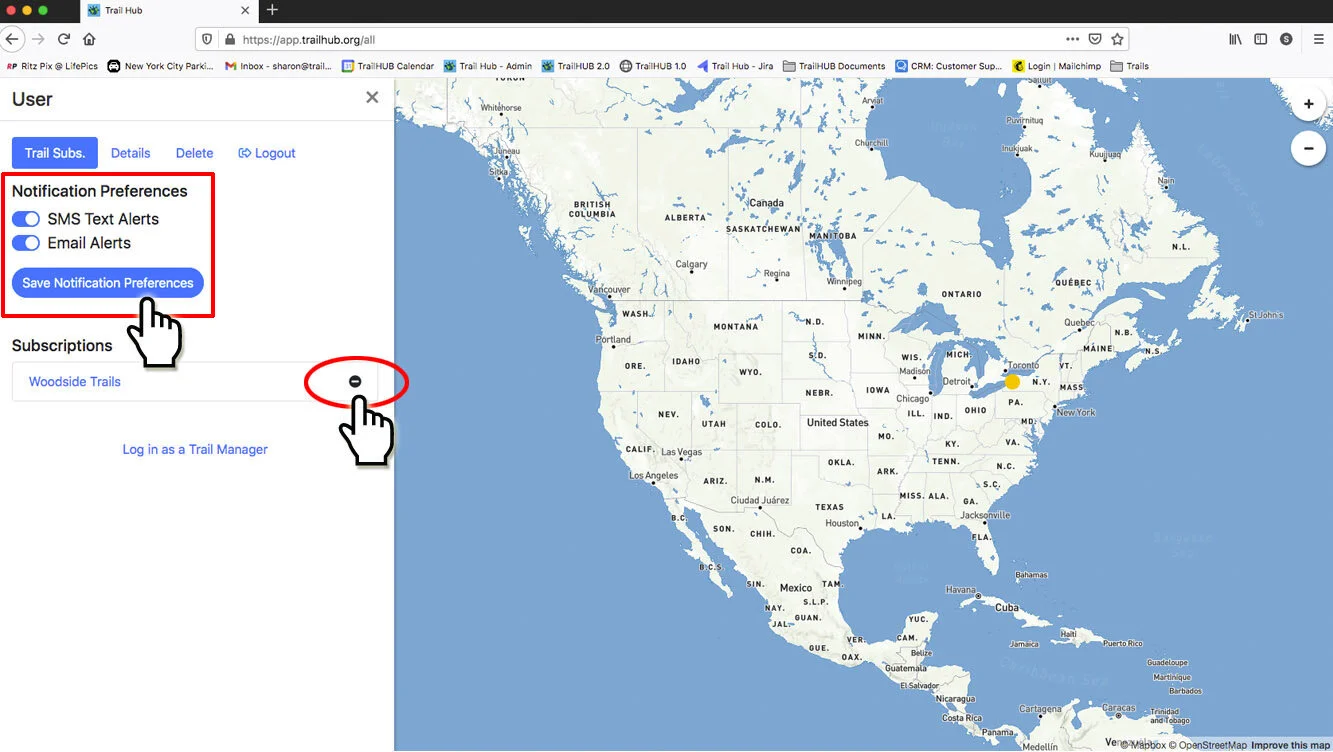
- On your trail system page, a visitor selects the trail system's name, then Subscribe to Trail Updates.
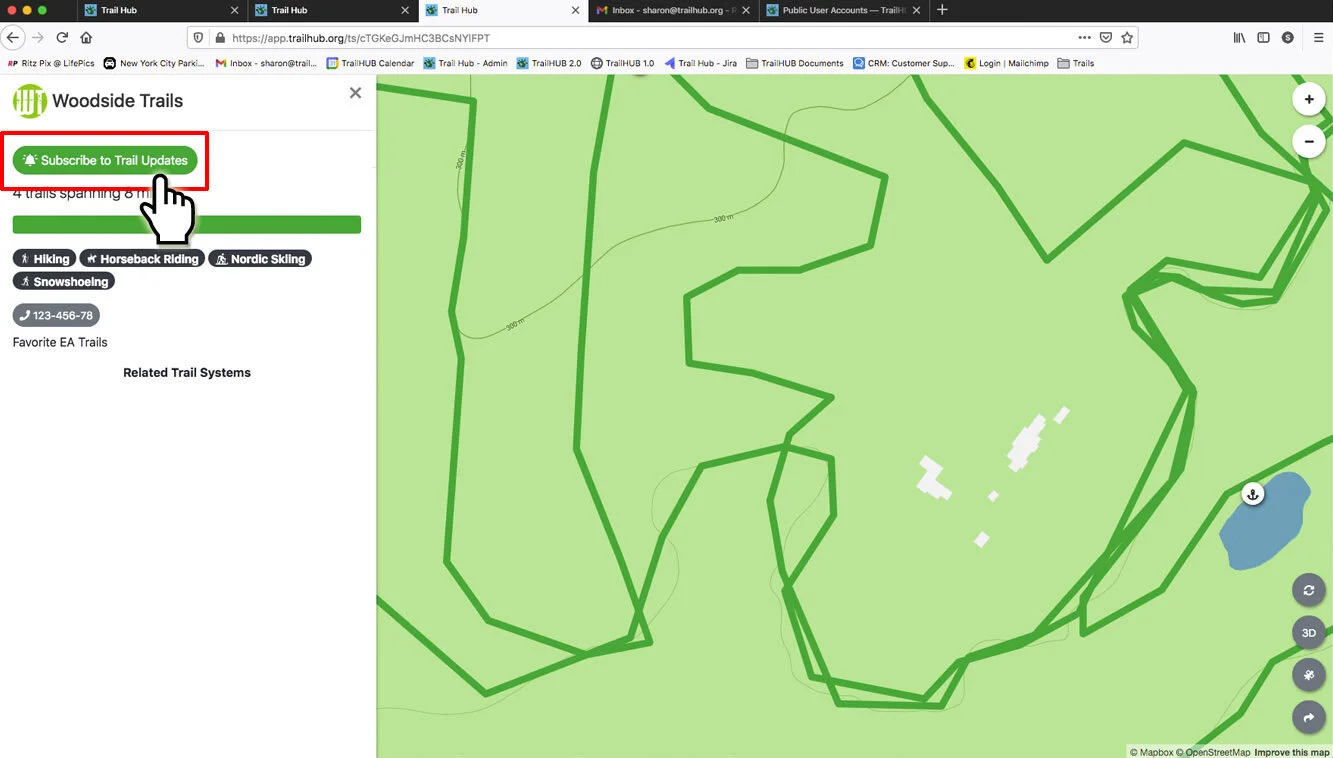
- If they are signed in to a public account, your trail system is added to their My Subscriptions. If not, they are taken to the public login page to sign in or create a free account, and then returned to your trail system.
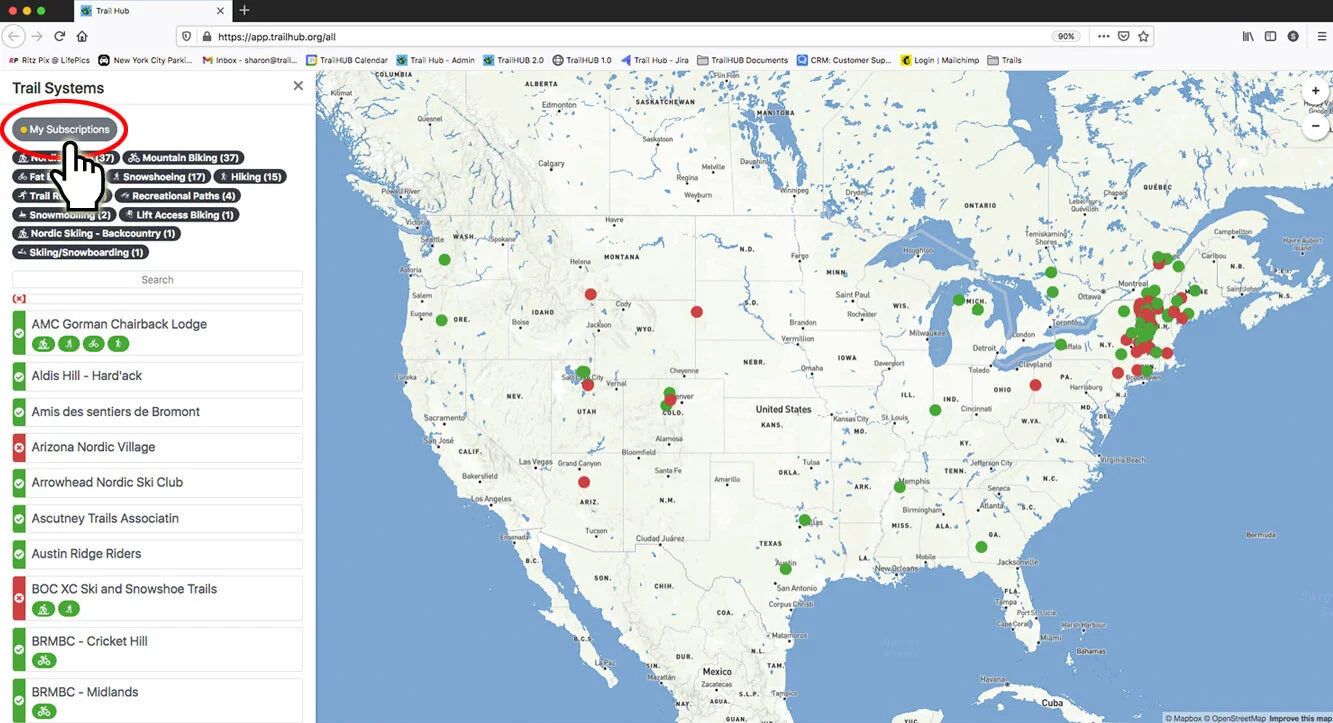
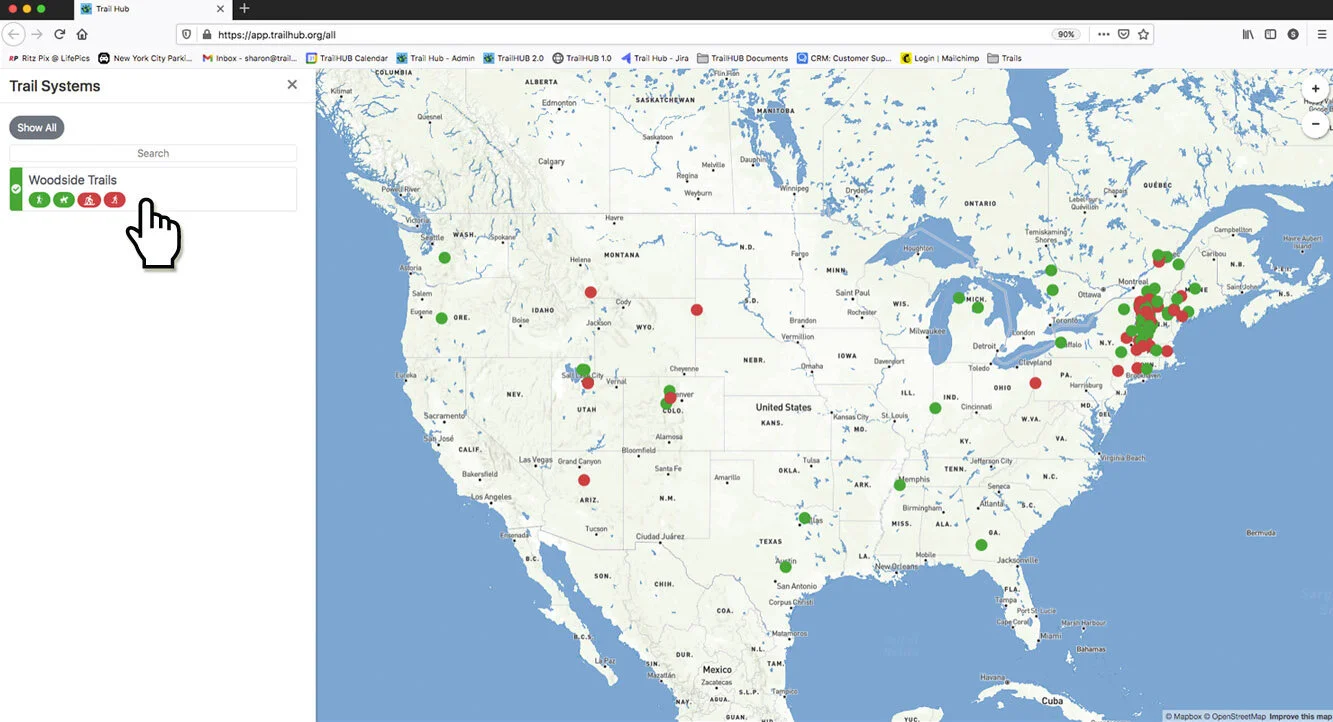
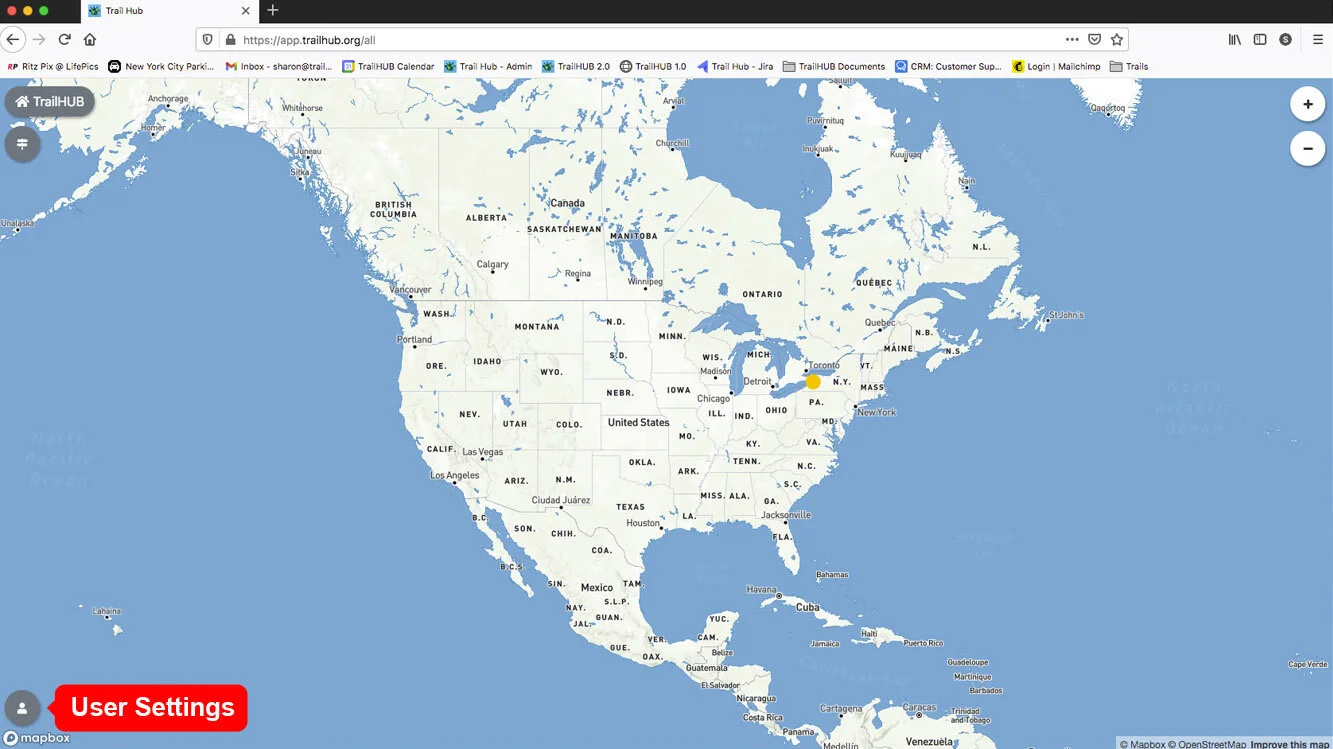
- In their User Settings, subscribers choose whether to receive SMS Text Alerts, Email Alerts, or both. They can also view, visit, or unsubscribe from any trail system there. See How the public finds you.
#Sending an alert
When you post an update, switch on Notify Subscribers of this Update before saving. The toggle is only offered when creating an update, not when editing one, so each saved update can notify at most once.
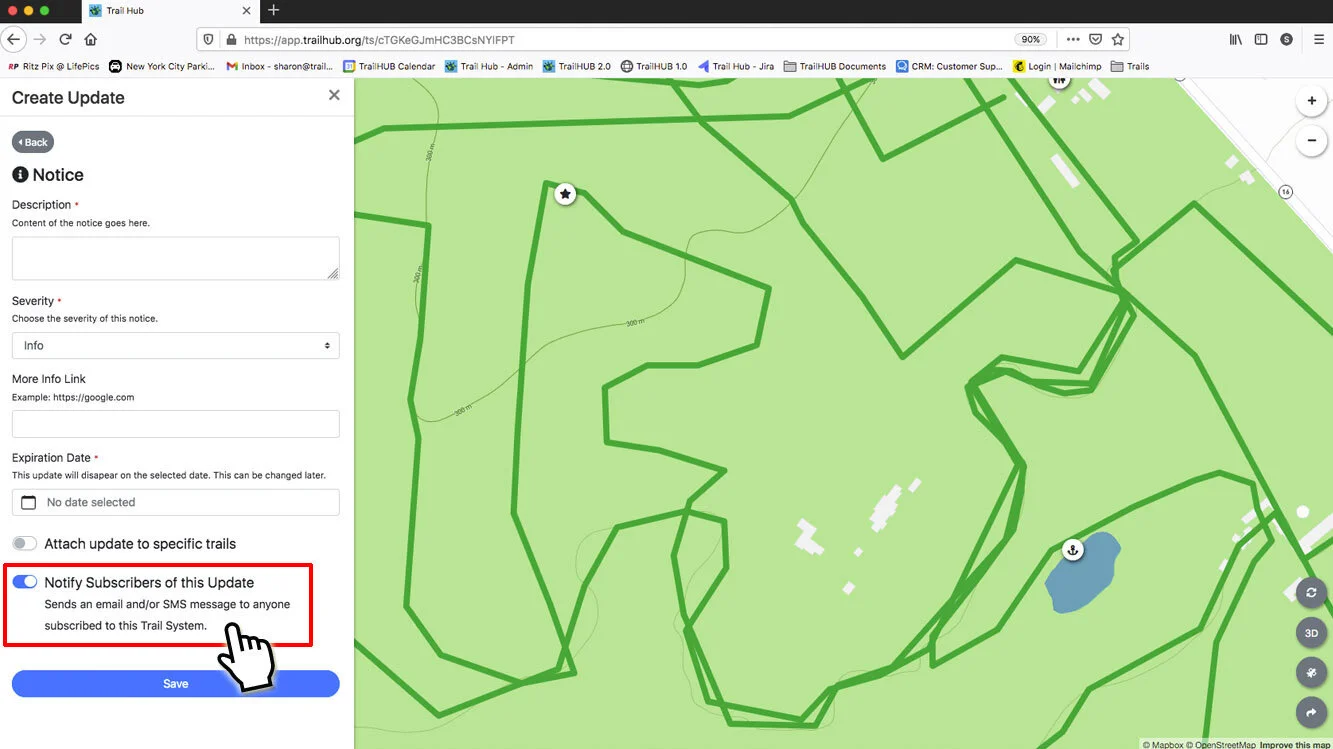
As soon as the update is saved, TrailHUB sends one message to every subscriber of your trail system, by email, by SMS text, or both, depending on each subscriber's own preferences. The message always ends with a link to your trail system, https://trailhub.org/ts/<your-id>, and its wording depends on the update type:
| Update type | Message |
|---|---|
| Notice | Notice from Your Trail System: your description – link |
| Surface Conditions | Your Trail System has posted new surface conditions: link |
| Snow Report | Your Trail System has posted a new snow report: link |
If your trail system's language is set to French, the message is sent in French.
#Good practice
- Use notifications sparingly. One or two per day is a sensible limit; more and people unsubscribe. The toggle shows this reminder when you switch it on.
- Notices are the only type whose text is included in the alert, so put the essential information in the first sentence of the description.
- Updates posted automatically by the Grooming Tracker never notify subscribers. Updates created through the Management API notify only if you set the notify flag.