Digital Signage
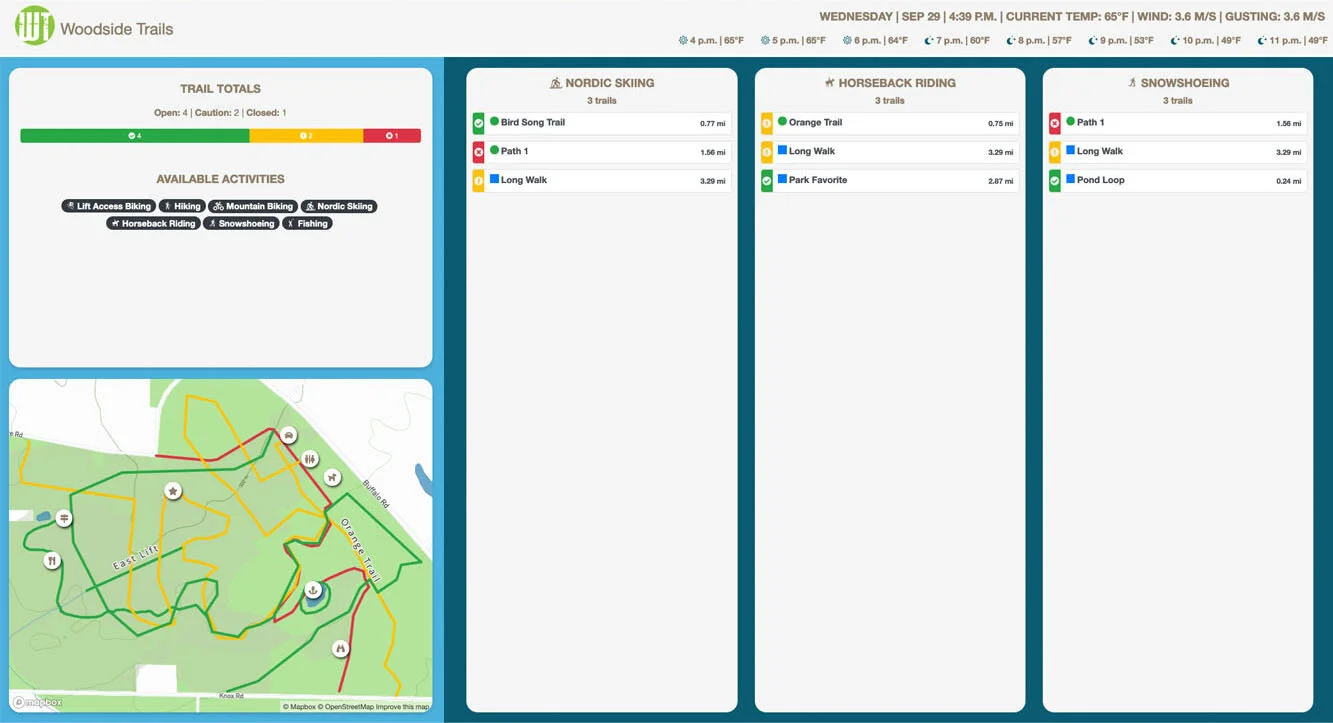
Launch a full-screen display of your trail system, with weather, updates, trail statuses, webcams, calendars, and dining menus, for TVs in your lodge or lobby.
Digital Signage mode turns any TV with a web browser into a live display of your trail system. Put it in your lobby, lodge, restaurant, or rental shop and guests get real-time trail information without touching a phone.
Signage mode is available on the Double Diamond and Star plans (see Plans and pricing), and the launch button is shown to Administrators and Trustees of the trail system.
#What the signage screen shows
The display updates itself automatically as you post changes in TrailHUB:
- Header – your logo and trail system name, the current date and time, current temperature, wind, and gusts, plus an eight-hour hourly forecast (requires weather to be configured).
- Updates – your active notices, surface conditions, and snow reports.
- Stats – trail totals (Open, Caution, Closed) and the activities available at your trail system.
- Webcams – any webcam points you have added.
- Calendars – upcoming events from your calendars.
- Dining menus – menus from your dining points.
- Map – your trail map, without interactive controls.
- Trails – the full trail list with current statuses, grouped by activity (hidden activities are excluded).
#Launch signage mode
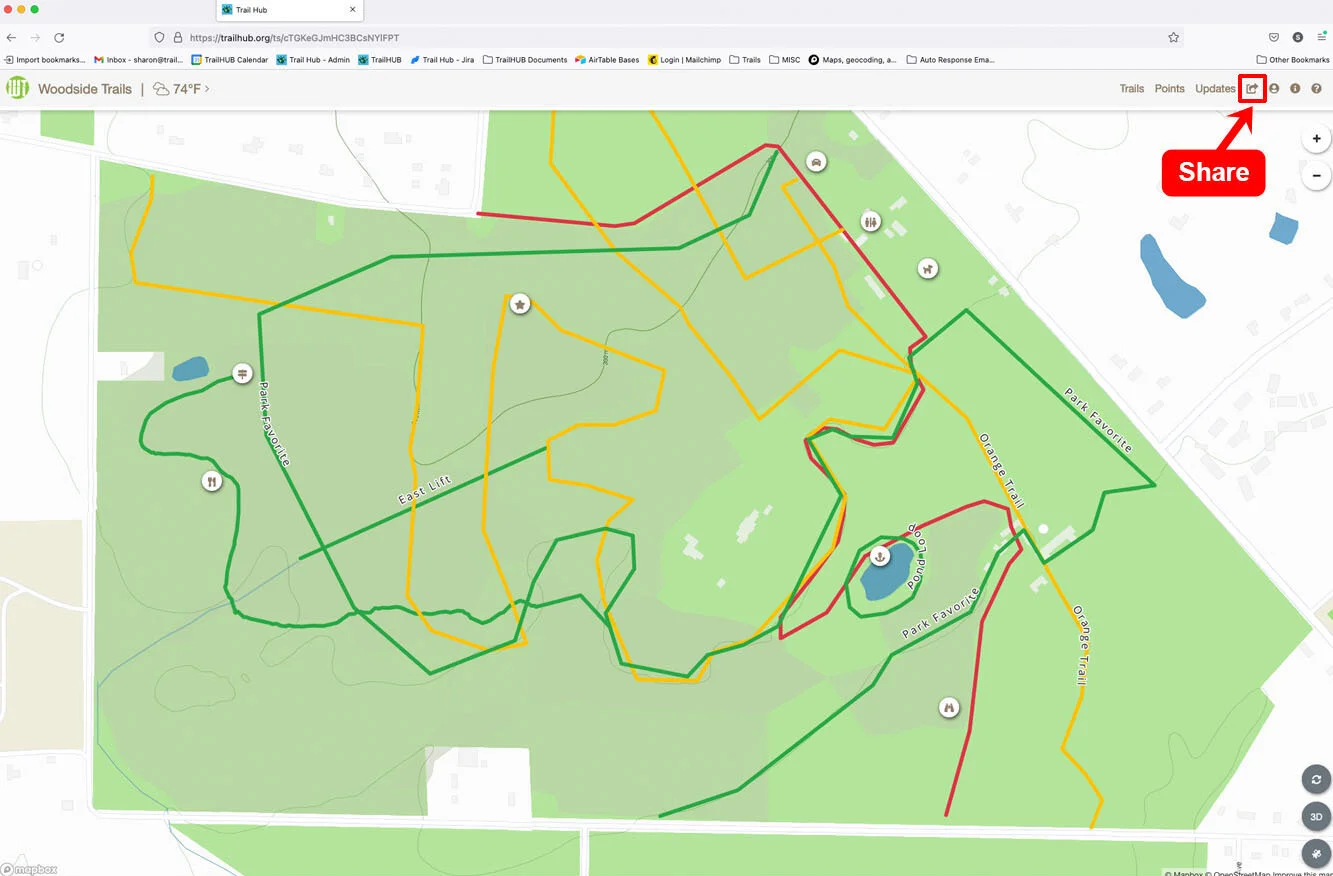
- Select Share in the top navigation bar.
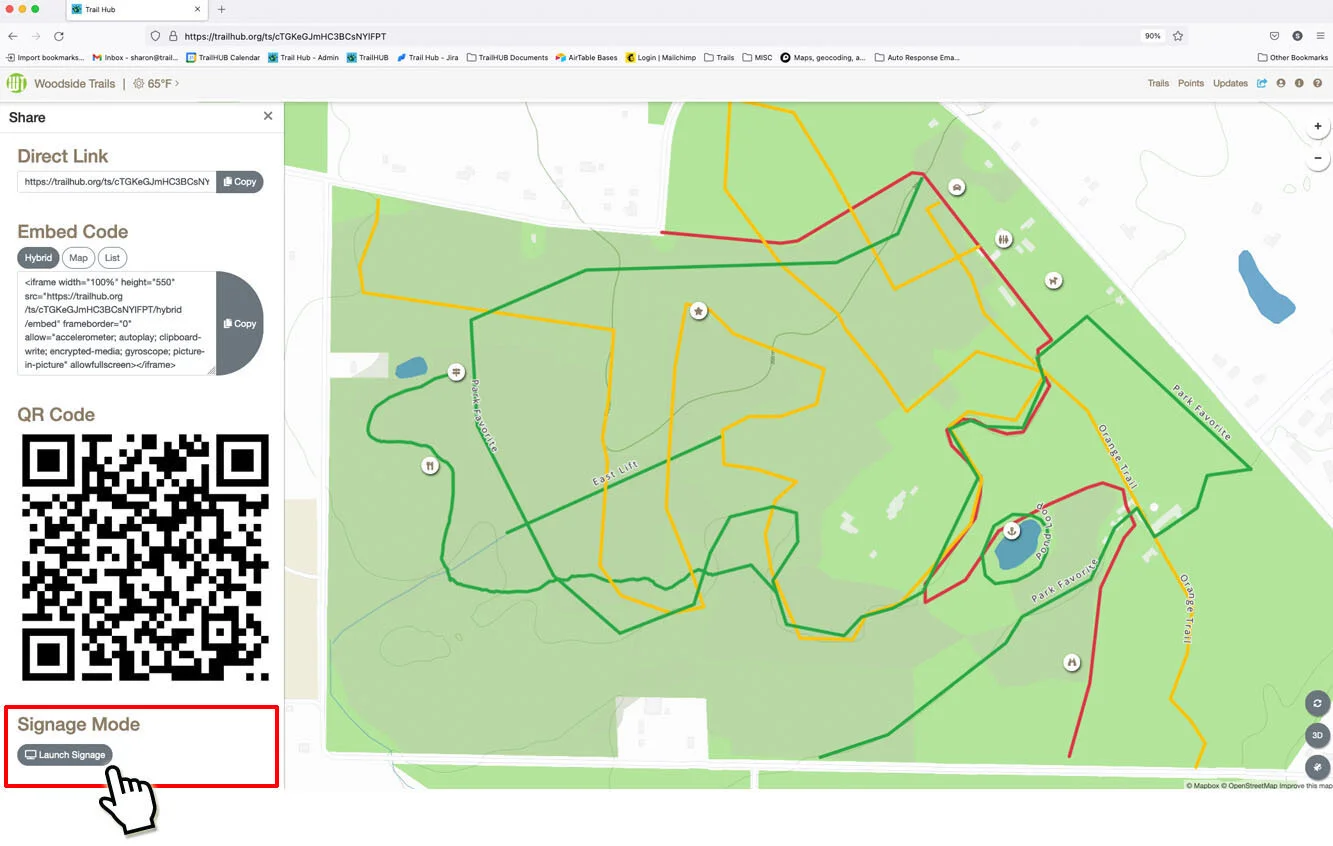
- Scroll to Signage Mode and select Launch Signage. The signage view opens in a new browser tab at
https://trailhub.org/signage/<your-trail-system-id>.
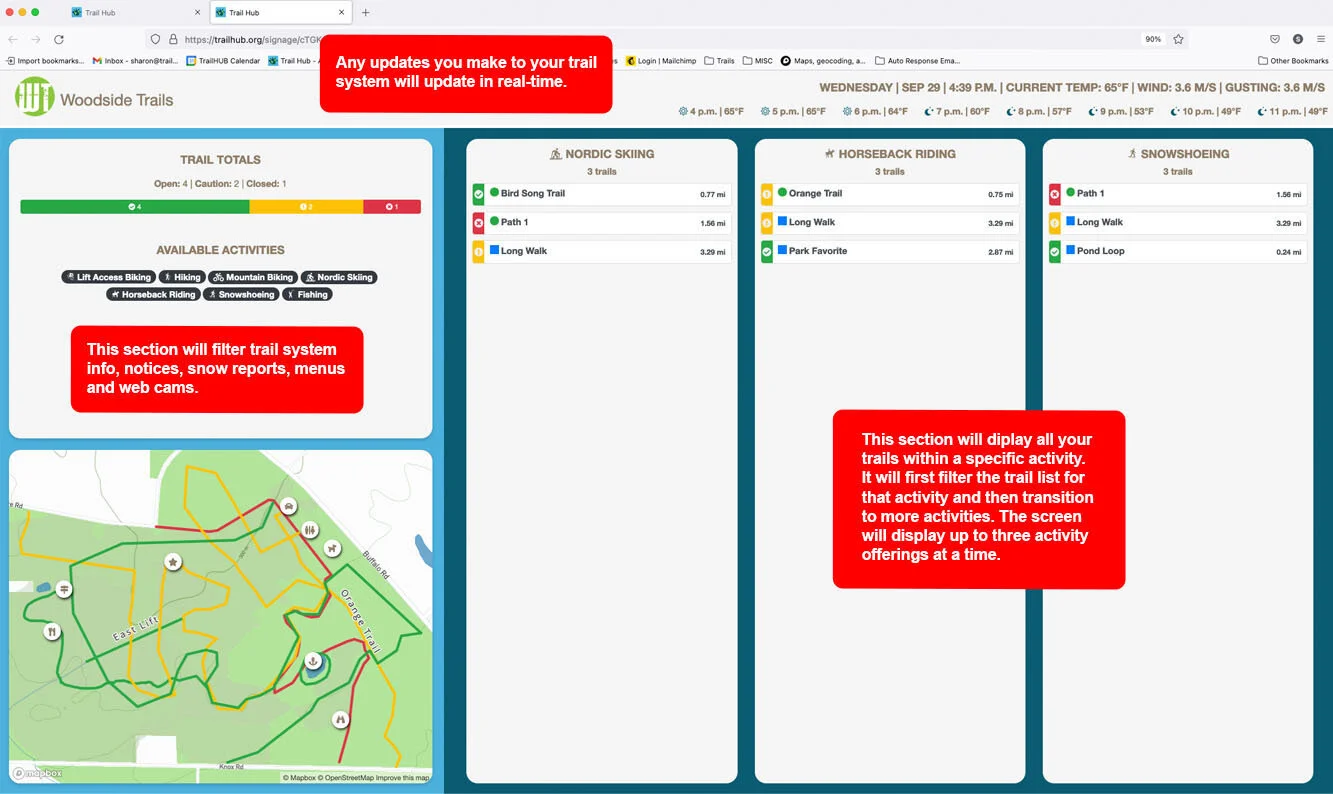
Put the browser in full-screen mode (press F11 on Windows or Control-Command-F on a Mac) and send the display to your TV. You can also bookmark the signage URL and open it directly on any device connected to the screen.
Contact us if you have questions. We are happy to help you set up a display.