
Share Menu Overview
Use the Share menu to copy a direct link, embed code, or QR code for your trail system, or launch Digital Signage mode.
The Share menu gives you everything you need to put your live trail system in front of the public: on your website, in emails and social posts, on printed materials, and on TV screens.
Select Share in the top navigation bar to open it. It contains:
- Direct Link – the public URL for your trail system,
https://trailhub.org/ts/<your-id>. - Embed Code – an iframe snippet in Hybrid, Map, or List form for your own website.
- QR Code – an automatically generated QR code that opens your direct link.
- Digital Signage – a full-screen TV display (Double Diamond and Star plans; shown to Administrators and Trustees).
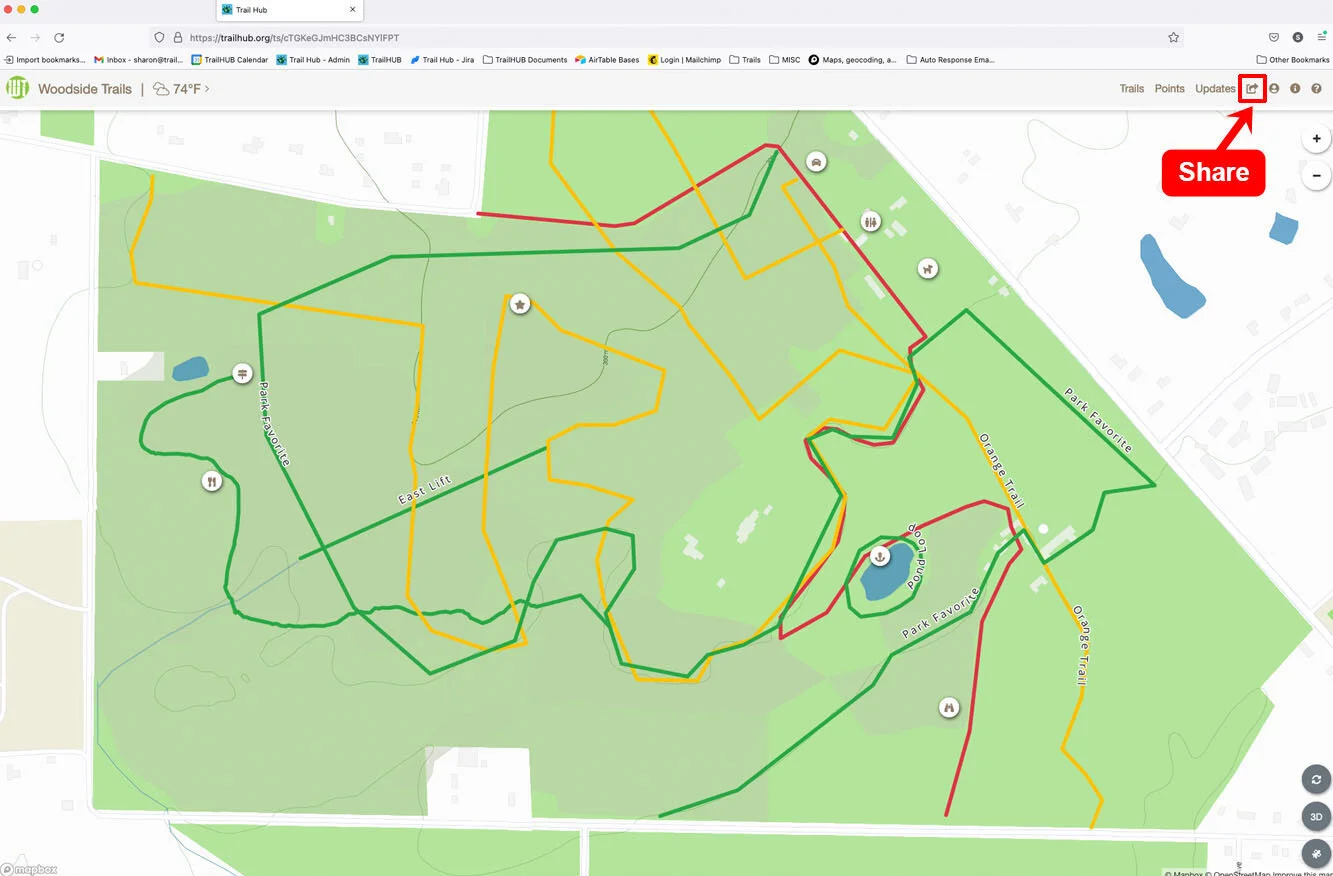
For tips on how the public discovers and subscribes to your trail system, see How the public finds you.
#In this section
- Direct Link
Copy the public URL for your trail system and share it anywhere people can click or tap a link.
- Embed a Trail System
Copy an iframe snippet in Hybrid, Map, or List form to show your live trail system on your own website.
- QR Codes
Download the automatically generated QR code that opens your trail system, for use on signs, brochures, and other printed materials.
- Digital Signage
Launch a full-screen display of your trail system, with weather, updates, trail statuses, webcams, calendars, and dining menus, for TVs in your lodge or lobby.