
Create a Public Account
Sign up for a free TrailHUB public account with your name, email, password, and optional phone number for SMS alerts.
A public account is free and lets you subscribe to as many trail systems as you like. It is separate from a trail manager account; trail managers who want alerts should create one as well.
#Sign up
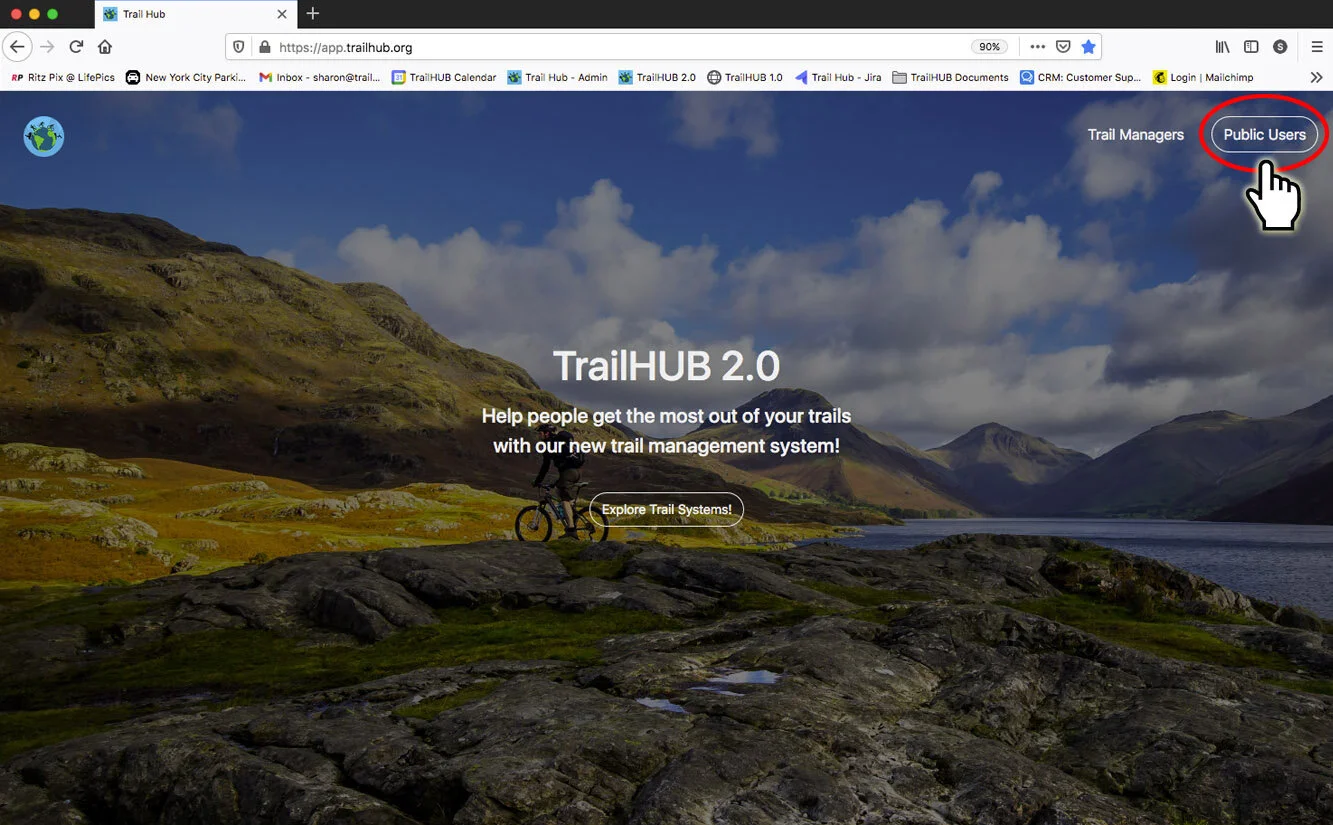
- On the TrailHUB homepage, select Public Users in the top navigation bar to open the public login page.
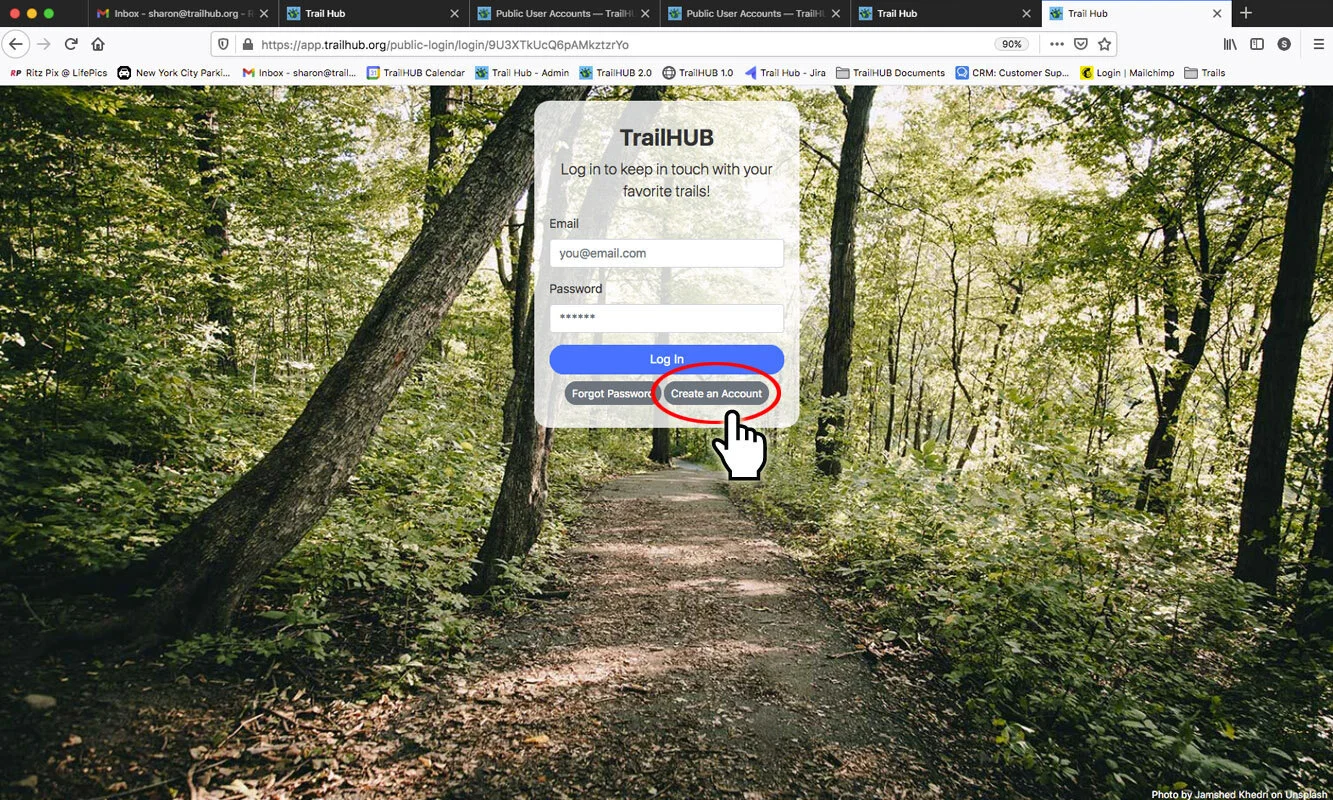
- Select Create an Account.
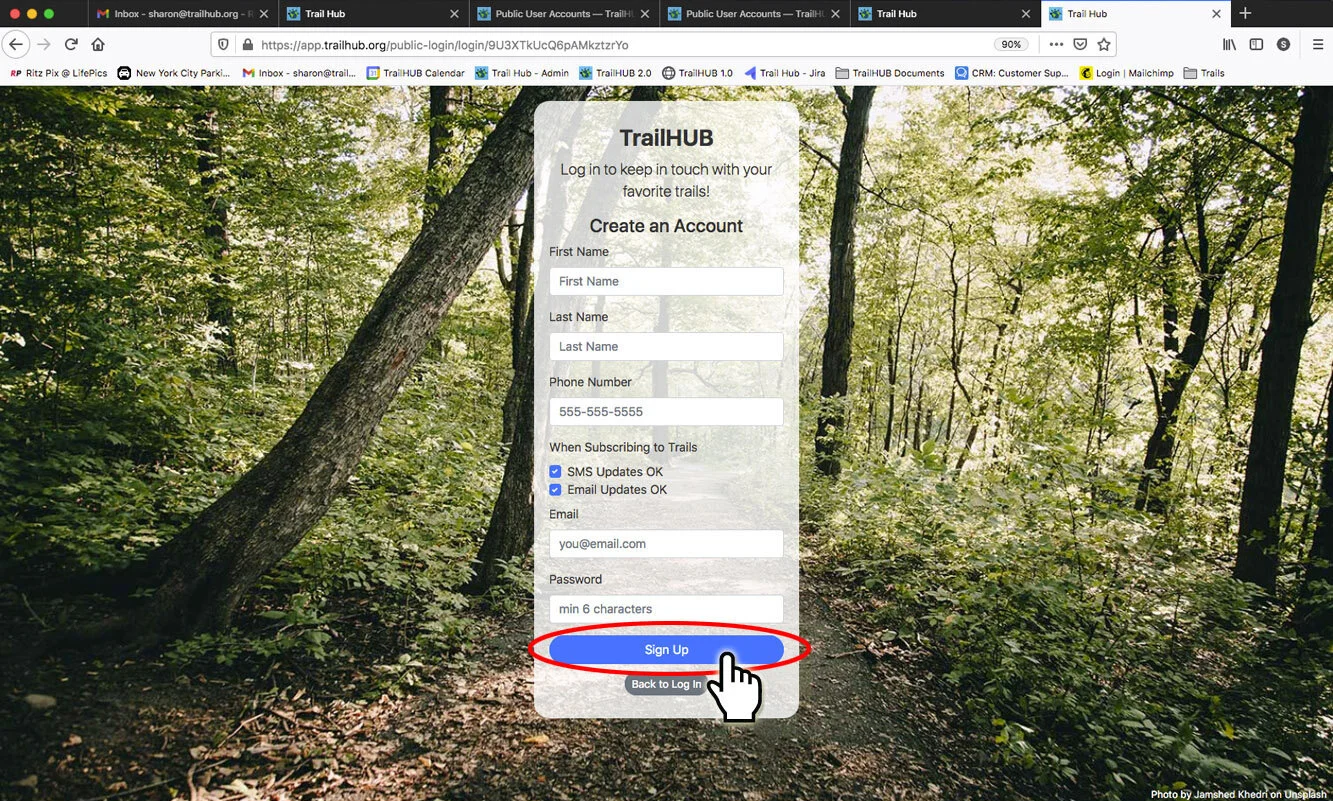
- Fill out the sign-up form and select Sign Up:
- First Name and Last Name
- Phone Number – needed only if you want SMS text alerts
- When Subscribing to Trails – SMS Updates OK and Email Updates OK. Both are on by default; untick one if you only want the other. You can change these later in notification settings.
- Email – also your login name
- Password – at least 6 characters
You are signed in as soon as the account is created. If you arrived at the login page by selecting Subscribe to Trail Updates on a trail system, you are returned to that trail system so you can finish subscribing.
#Forgot your password?
On the public login page, select Forgot Password, enter your email, and select Submit. TrailHUB emails you a link to set a new password. Note that this is different from the password reset for trail manager accounts.